A bounded identity-check workflow for unknown websites, emails, calls, profiles, and images—without treating a display name or lookup result as proof.
If you are asking “Who is this?” about an unknown call, message, website, or profile, do not trust the displayed name alone. Preserve the identifier, inspect the domain or number, and verify the claimed organization through a separate channel you found independently. WHOIS/RDAP can show domain registration facts, but redacted data and spoofable caller IDs mean no single lookup proves a person’s identity.
Your goal is not to uncover every private detail about a stranger. It is to make one bounded decision: can you safely reply, visit, pay, share information, or continue the conversation? The method below separates clues from proof, uses public information proportionately, and gives you a stopping rule when the evidence stays uncertain.

Classify what you actually have before you search
“Who is this?” can begin with very different evidence. A domain name can be checked against registration infrastructure. A caller ID can be forged. A profile picture can be reused. Identify the object first so you do not ask one tool to answer a question it cannot answer.
| What appeared | Useful clue to preserve | What it does not prove | First safe move |
|---|---|---|---|
| Website or link | Exact hostname, full URL, page claim, and time seen | That the named brand operates the site | Copy the address without opening it, then inspect the hostname and registration data. |
| Email or text | Full sender address or number, message, links, and attachment names | That the display name or logo identifies the sender | Do not click; find the claimed organization through a known channel. |
| Phone call or voicemail | Time, displayed number, callback number, and exact request | That caller ID shows the originating party | End the call and independently locate a verified number. |
| Social profile | Profile URL, username, account history, linked sites, and request | That the photo, name, followers, or verification-like graphics belong to the person | Compare public history and verify through an existing relationship or official site. |
| Photo | Original file or highest-quality copy and where it appeared | Who the person is, who created the image, or whether the caption is true | Search for earlier uses and context without attempting to expose private information. |
Preserve evidence without redistributing it. A screenshot can record a disappearing claim, but do not post a stranger’s phone number, residential address, face, or account details to crowdsource an identification. If the contact is threatening, stalking, extorting, or creating an immediate safety concern, use the platform’s reporting path and appropriate local authorities rather than conducting a public investigation.
Separate an identifier from the identity it claims
An identifier is a label or routing value: a name, email address, domain, username, image, or phone number. Identity is the person or organization behind it. The same identifier can be copied, spoofed, compromised, transferred, or represented out of context.
Use an evidence ladder instead of treating the first matching result as an answer:
| Evidence level | Examples | What it supports | What to do next |
|---|---|---|---|
| Self-asserted | Display name, avatar, signature, logo, or “official” wording | Only what the contact wants you to believe | Record the claim; do not grant trust. |
| Technical context | Domain registration facts, email domain, URL destination, account age | Infrastructure and timeline, not necessarily the human operator | Check for contradictions and continue independently. |
| Public continuity | Long-running official site, consistent public profiles, earlier image use | Whether the claim fits an established public history | Confirm the exact contact method on that established property. |
| Independent channel | Number on a bank card, URL in a saved bookmark, known colleague, prior verified conversation | Whether the real party recognizes the request | Ask about the specific message without revealing secrets. |
| Transaction-specific confirmation | Known invoice reference, internal case number, expected event, or account notice visible after a clean login | Whether this request belongs to the real relationship | Proceed only within the verified channel. |
Two clues copied from the same source are not independent. A phone number on a suspicious website and the same number in its email signature count as one claim. Stronger confirmation comes from a channel the contact did not supply or control.
Use RDAP to investigate a domain without overclaiming
A traditional WHOIS lookup asks for domain registration data. For generic top-level domains, the modern path is usually RDAP. ICANN explains that the Registration Data Access Protocol was created as an eventual WHOIS replacement and provides standardized, structured access with support for internationalization, secure access, and differentiated access.
- Extract the hostname. From a URL such as
https://account.example/path?case=123, the hostname isaccount.example. Do not confuse a brand word in the path with the controlling domain. This guide to URL components shows how to find the actual host before you follow a link. - Open ICANN Lookup yourself. Navigate directly to lookup.icann.org and submit the domain. Do not use a lookup link supplied by the unknown contact.
- Read the infrastructure fields. Note the registrar, creation and update dates, domain status, name servers, and any DNSSEC information. These can reveal a mismatch—for example, a domain registered after the organization claims it began using it.
- Expect incomplete contact data. The ICANN Lookup FAQ says results come from registry operators or registrars in real time, but applicable law and ICANN policy mean not all registration data must be publicly returned. A redacted registrant is therefore an unknown, not proof of fraud.
- Corroborate outside the lookup. Search for the claimed organization, inspect an established official site, and compare its published domains and contact details. Google’s source-evaluation guidance recommends learning what a source is, why it is sharing information, and what other sources say about it.
Do not turn registration age into a verdict. A new domain may belong to a legitimate launch, and an old domain may be compromised or transferred. Likewise, a registrar name identifies the registration provider, not the website’s operator. RDAP is best for finding inconsistencies and infrastructure contacts, not naming a private person with certainty.
An IP address is also not a personal identity. It can represent a household, office, mobile carrier, VPN, cloud host, or shared service, and it may change. The distinction between fixed and changing assignments is explained in this guide to static IP addresses. Do not publish an IP address or infer a home location from a coarse geolocation result.
Reset the channel before you reply, call, or pay
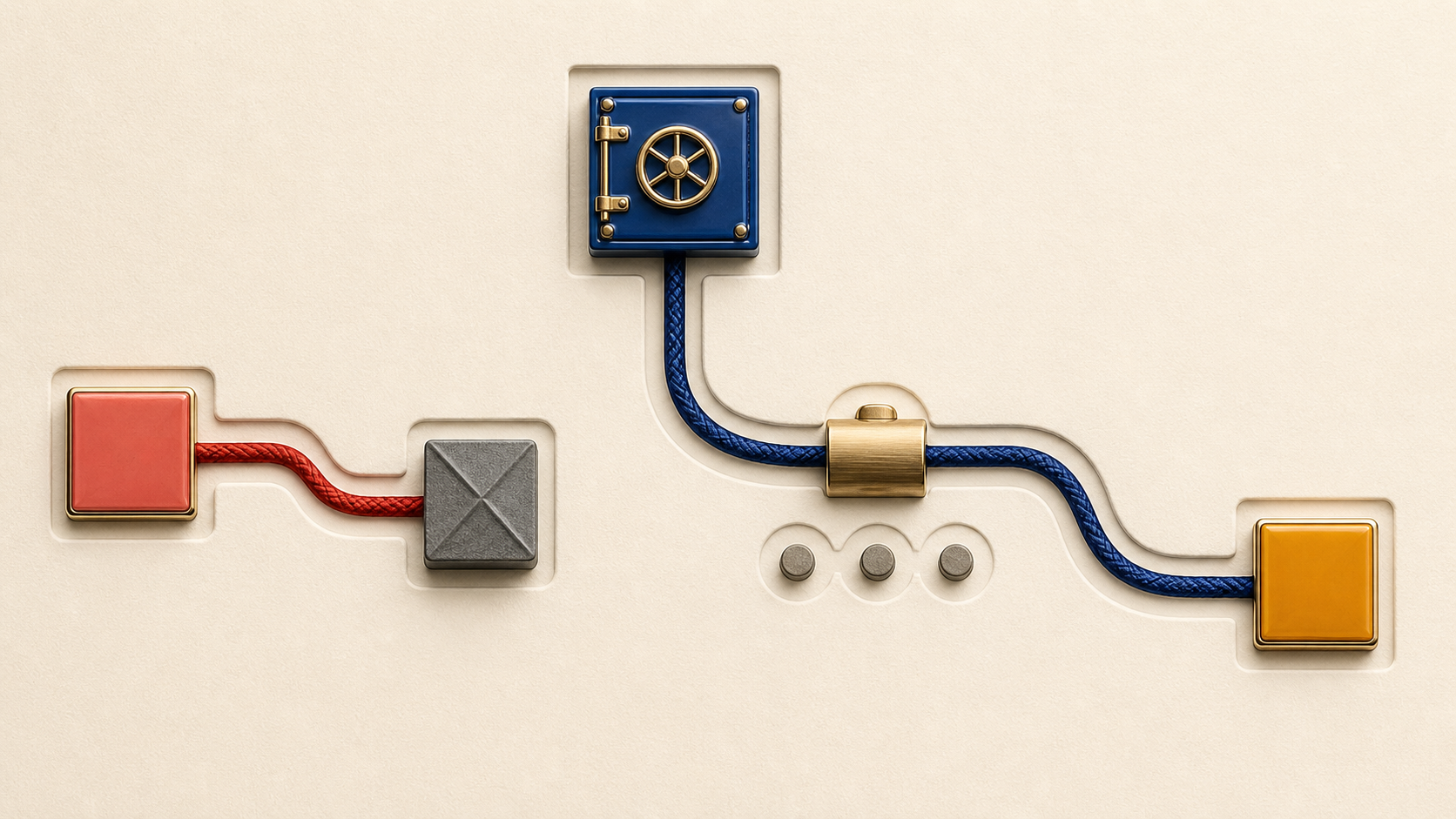
The safest practical test is an independent-channel reset. It works for a “bank” call, a manager’s urgent text, a vendor invoice, a delivery message, or an account-warning email.
- Stop the supplied route. Do not reply, press a keypad option, call the callback number, open an attachment, or use the link in the message.
- State the claim in one line. For example: “The caller says my bank froze card ending 1234 and wants a verification code.” This exposes what must be verified without adopting the caller’s story.
- Find a clean contact point. Use the number on a physical card or statement, a saved bookmark, a known company app opened directly, an internal directory, or a contact you previously verified. Be cautious with paid search results; type a known address when you have one.
- Ask whether the event exists. Give only the minimum reference needed. Ask whether the organization sent the message, opened the case, issued the invoice, or requested the change.
- Continue inside the clean channel. If action is required, complete it in the official app, authenticated account, or independently initiated call—not by returning to the original contact.
The FTC’s phishing guidance tells recipients not to click unexpected links or attachments and to contact the company through a phone number, email, or website known to be real. For calls, the FTC warns in its unwanted calls guidance that scammers can make almost any name or number appear on caller ID. A familiar number is a clue to record, not an authentication method.
Never read back a password, one-time code, recovery phrase, full payment-card number, or remote-access code to prove who you are. A legitimate verification process should not require you to surrender the very credential that protects the account.
Check a profile or image for context, not a private identity
For a social account, inspect continuity before appearance. Does the profile link to an established site that links back? Does its public history match the claimed role and timeline? Do earlier posts show consistent work, or was the account recently repurposed? A polished avatar, follower count, and copied biography can all be manufactured.
If an image is central to the claim, use a reverse-image tool to look for earlier or parallel uses. Google’s About this image documentation says the feature may show when Google first encountered similar images, other pages using them, and earlier contexts. It also cautions that credit and source-type metadata can be modified. Availability varies by region and device.
Interpret the result narrowly:
- An older matching image can show that a “photo taken today” claim is false.
- The same portrait under several names shows reuse, not which name is real.
- No match means only that the tool did not find one; it does not authenticate the account.
- Image metadata and AI labels are supporting context, not a substitute for independent confirmation.
Do not use face-search services, leaked databases, data brokers, or pretexting to expose a private individual. If the decision concerns hiring, credit, housing, legal action, or another regulated or high-impact process, this informal workflow is not an appropriate substitute for an authorized, compliant verification process.
Keep an identity ledger and use explicit stopping rules
A short ledger prevents a plausible story from turning into assumed fact. Record observations and contradictions separately:
| Ledger field | Fictional billing-email example | Decision effect |
|---|---|---|
| Claim | “Example Office” says an annual subscription will renew today. | Defines the event to verify. |
| Observed identifier | Sender is notice@billing.example; the button points to account.example. |
Provides two domains to inspect, but no identity proof. |
| Independent source | A saved bookmark opens the real vendor account; no renewal notice appears. | Creates evidence outside the email’s control. |
| Contradiction | The official support page lists a different billing domain and case format. | Raises the risk; do not use the email route. |
| Bounded action | Report the message, verify billing inside the account, then delete it. | Resolves the task without identifying a private sender. |
End with one of three outcomes. Verified for this action means the real organization confirmed the exact request through a clean channel; it does not make every future message trustworthy. Unresolved means the evidence never became independent, so do not transact or disclose. Contradicted or high risk means the claim conflicts with the official source, requests secrets or unusual payment, or applies pressure; block and report it.
If you already clicked but shared nothing, close the page, update security software, and run its scan. If you disclosed a password, change it through the official account, review active sessions, and enable a second factor; a passkey can reduce exposure to password phishing where supported. If you sent money or financial information, contact the institution immediately using a number you know is real. The FTC phishing page directs people who exposed personal information to IdentityTheft.gov and accepts fraud reports at ReportFraud.ftc.gov.
You do not need a stranger’s full biography to answer the practical version of “Who is this?” You need an independently verified channel, evidence that matches the specific request, and permission to stop when certainty is unavailable.