Understand a web address from left to right, see what changes when you edit each part, and check a destination before clicking or sharing.
A URL, short for Uniform Resource Locator, is the address a browser or another application uses to identify and access a resource, such as a web page, image, file, or API endpoint. A URL can be as short as https://example.com/ or include a subdomain, path, query parameters, and a fragment that points to a particular section.
Understanding those parts helps you do more than answer “what does URL mean?” You can check where a link really goes, remove unnecessary tracking before sharing, preserve parameters that a page needs, diagnose broken links, and create clearer addresses for your own site. The examples below use example.com, a domain reserved for documentation.
What a URL means in practical terms
A domain name identifies a site or host. A URL identifies a specific resource or location that an application can request. The domain example.com and the URL https://example.com/guides/url-basics are related, but they are not the same thing: the second includes a scheme and a path to a particular page.
MDN describes a URL as the address of a resource on the internet. The formal standards use more precise language: RFC 3986 defines the generic URI component order, while the WHATWG URL Standard defines the parsing model used by web-platform implementations. For ordinary web work, “URL” is the useful term for the address you type, copy, link, or measure.
A URL does not guarantee that the resource still exists. A server can move or delete a page, require authentication, block a request, or return an error. The address tells the browser what to request; the server decides what response to return.
Read a URL from left to right
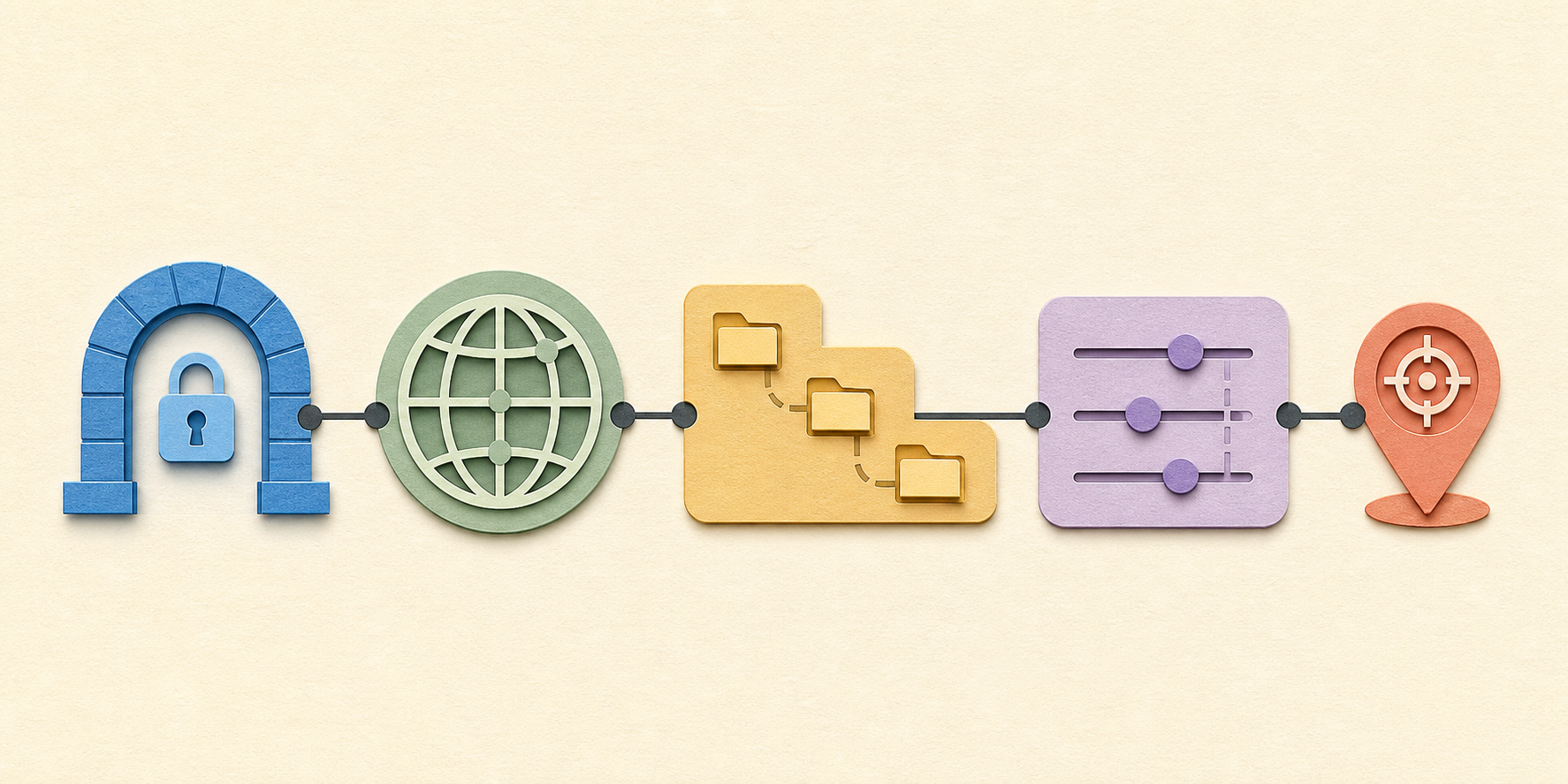
Consider this worked example:
https://shop.example.com:443/guides/chairs?color=blue&utm_source=email#materials
| Component | Example value | What it does | What an everyday user should notice |
|---|---|---|---|
| Scheme | https |
Tells the application which protocol or handling rules to use. | For a normal website, expect https. Encryption protects the connection but does not prove the site itself is honest. |
| Host | shop.example.com |
Identifies the network host. It can contain a subdomain such as shop. |
The registered domain is the most important identity check before clicking or signing in. |
| Port | 443 |
Optionally selects a network service port. | Standard HTTPS URLs normally omit the default port. An unusual port is not automatically unsafe, but it deserves context. |
| Path | /guides/chairs |
Identifies a resource within the host’s hierarchy. | Changing a path commonly opens a different page or produces a not-found response. |
| Query | ?color=blue&utm_source=email |
Passes key-value data, filters, search terms, tracking labels, or other state. | Each pair usually uses =; multiple pairs are commonly joined with &. |
| Fragment | #materials |
Points the client to a location within the retrieved resource. | It often jumps to a heading or state on the same page. The fragment is not sent to the server in a standard web request. |
Not every URL contains every component. A typical public page may need only the scheme, host, and path. Usernames, passwords, ports, queries, and fragments are optional or context-specific.
Separate a URL from a domain, link, and URI
| Term | Plain-language meaning | Example |
|---|---|---|
| Domain name | A human-readable name used within the host portion of many web URLs. | example.com |
| URL | A structured address that locates a resource and describes how it should be accessed. | https://example.com/guides/url-basics |
| Link | A clickable or selectable reference whose destination is usually a URL. | The words “URL basics” linked to the example address. |
| URI | The broader standards term for an identifier using URI syntax; URLs are the locator-oriented addresses encountered on the web. | A web URL or another identifier such as a URN. |
| Relative URL | An address resolved against the current page or configured base instead of repeating the scheme and host. | /guides/url-basics |
Use an absolute URL when the destination must work outside the current site, such as in an email, document, or social post. Relative URLs are convenient inside a website because they can keep internal links independent of the current domain, but their result depends on the base location.
Know what changes when you edit a URL
Editing a web address can change the site, the page, the page state, or only the visible section. Use this impact matrix before deleting or replacing characters.
| Edit | What usually changes | When it may be reasonable | Main risk |
|---|---|---|---|
| Change the host or domain | You request a different site or service. | Switching between a documented regional, account, or app host. | Landing on an unrelated or impersonating site. |
| Change the path | You request a different resource on the same host. | Moving from an article to a known category or parent path. | A 404 response, redirect, or unintended private route. |
| Remove the query | You remove filters, search state, tracking labels, or access data. | Cleaning ordinary campaign parameters from a public page before sharing. | Breaking signed links, invitations, password resets, carts, filters, or required state. |
| Change the fragment | You move to another in-page target while keeping the fetched resource. | Linking directly to a heading, tab, or timestamp supported by the page. | A dead jump if the target ID or client-side state changes. |
Switch http to https |
You request an encrypted HTTPS version. | When the site is known to support HTTPS. | The host may not serve the same resource or may fail entirely. |
| Change letter case | The host is normally case-insensitive, but a path or query may be case-sensitive. | Only when the site documents a canonical lowercase form. | Creating a different URL or a broken request. |
A useful rule is to remove only parameters you understand. Common analytics labels such as utm_source, utm_medium, and utm_campaign usually describe acquisition rather than grant access. Parameters named token, signature, key, code, or expires may be essential or sensitive. Do not paste private, signed, or account-specific URLs into public documents.
Inspect a URL before you click or share
Use this short preflight when a link arrives in an unexpected message or when you are about to publish it:
- Reveal the destination. On desktop, hover over a link and read the destination shown by the browser or application. On mobile, use the platform’s preview or copy-link function without opening it when possible.
- Find the host. It begins after
://and ends at the next slash, question mark, number sign, or the end of the address. - Check the actual domain carefully. Look for misspellings, switched letters, unexpected endings, or an unrelated domain placed after a familiar brand word.
- Treat urgency as context, not proof. If the message asks you to sign in, pay, or provide information, open a known bookmark or type the organization’s address yourself.
- Choose the version to share. Preserve required filters and access data for the intended recipient; remove understood campaign labels when a clean public link is more appropriate.
- Test the final destination. Open the exact version in a private or signed-out window when access permissions matter, then confirm the page and section are correct.
The US Federal Trade Commission advises people not to use links in unexpected messages when account or payment information may be at risk; instead, contact the organization through a website or method already known to be real. HTTPS is still important, but the lock or scheme alone cannot tell you who controls the destination.
Use clear URLs for websites and campaigns
For site owners, a readable URL helps people predict a destination and makes maintenance easier. Google’s URL structure guidance recommends descriptive words, hyphens between words, a logical structure, standard parameter encoding, and as few unnecessary parameters as practical. It also notes that URL paths can be case-sensitive.
Choose a durable path based on the resource, not a temporary navigation label. /guides/url-basics/ communicates more than /page?id=4827, but a readable slug cannot compensate for weak content or poor site structure. If an address changes, use the appropriate redirect and update internal links rather than leaving multiple unmanaged versions.
Marketing parameters serve a different job: they let analytics systems distinguish acquisition sources without changing the underlying article. Use ToolMerit’s Campaign URL Builder to assemble consistently encoded UTM parameters, then follow the naming and governance process in the UTM tracking guide for small teams. The wider analytics and conversion tools guide helps place those links inside a measurement workflow.
When search visibility matters, decide which URL should be canonical, keep internal links consistent, and avoid generating unlimited low-value parameter combinations. ToolMerit’s SEO and search tools overview covers the broader work around crawlability, duplication, and maintenance.
Fix common URL problems methodically
| Symptom | First component to inspect | Practical next step |
|---|---|---|
| The browser says the site cannot be reached | Scheme and host | Check spelling, connectivity, DNS context, and whether the host is expected to exist before editing deeper parts. |
| The site opens but the page is missing | Path | Remove only the final path segment to look for a known parent, or use the site’s navigation or search instead of guessing many URLs. |
| A filter or search result disappears | Query | Restore the required key-value pair and compare the address before and after the action. |
| The page opens at the top instead of a section | Fragment | Check that the target after # still exists and matches the page’s current heading or element ID. |
| A shared link asks the recipient to sign in | Permissions and query data | Confirm the resource is publicly shareable; a correct URL cannot override account permissions. |
| Analytics reports split one page into several rows | Query order, campaign values, case, and path variants | Normalize campaign naming and reporting rules without deleting parameters that change actual content. |
You understand a URL well enough when you can identify the host, explain what the path selects, recognize whether a query changes content or measurement, and predict what the fragment will do. Before publishing or sharing, make one final decision: does the recipient need the canonical public page, a filtered view, a tracked campaign address, or a private access link? Choosing deliberately prevents many broken, misleading, and noisy URLs.