Independent software guidance for creators and small teams.

How we reviewAffiliate disclosure
ToolMerit
SearchStart here →
Home/AI tools/AI video

AI VIDEO TOOLS FOR CREATORS AND SMALL TEAMS

Make the video
move faster. Keep
the story honest.

Independent guidance for choosing AI video tools that help prepare, produce, edit, caption, adapt, and publish useful video — while preserving consent, source context, accessibility, human review, and responsibility for the final cut.

THE VIDEO BRIEF

What should the
viewer understand
or do next?
SourceEditReview
HUMAN CHECKCaptions, claims,
context approved
Publish version →
Speed up the craft.
Not the responsibility.
0 published reviews1 supporting resource

AI video software can generate, edit, transcribe, caption, localize, and repurpose material; it cannot decide what is true, whether a portrayal is appropriate, whether a person consented, what a viewer needs to know, or whether the published version is accessible and fair. Choose for the production workflow you can responsibly review.

BUILD AI VIDEO AROUND THE VIEWER AND THE REVIEW

Where does the video
workflow need support?

Start with the actual viewer job and production constraint. A useful tool should reduce a specific scripting, editing, captioning, adaptation, or production friction without concealing the source, consent, or quality checks that remain human work.

01

Define the viewer moment

Start with the audience, purpose, claim, format, source material, available footage, voice, visual direction, and what a viewer should understand or do after watching.

02

Use AI to prepare or accelerate production

Apply generation, scripting, transcription, editing, captions, localization, clipping, cleanup, or visual support to a specific production bottleneck — not as a substitute for the underlying message.

03

Review representation, accuracy, and consent

Check claims, generated scenes, voices, likenesses, music, source material, labels, captions, context, audience expectations, and the point where an automated result could mislead or harm.

04

Publish a clear and accessible version

Prepare the title, thumbnail, description, chapters, captions, transcript, destination links, versions, performance notes, and approved source files so each release can be understood and improved.

REVIEWED AI VIDEO TOOLS

Choose for the video
you can stand behind.

All tool reviews →

Published ToolMerit reviews tagged AI Video, Video Generation, Video Editing, AI Avatar, or Video Repurposing appear here automatically. Each result links to dated coverage rather than a generic “best AI video tool” claim.

AI video reviews appear after the editorial work is complete.

ToolMerit does not publish a recommended video-tool card until a named author has documented the production workflow, limits, review context, price context, and last-check date.

Read our review method →

THE FIVE-MINUTE AI VIDEO TOOL CHECK

Four questions before
you render the video.

Use these questions while comparing AI video generation, avatar, voiceover, editing, captions, repurposing, screen-recording, or video-production software.

Explore video creation tools →
01

What part of the video workflow needs help?

Name the real task: concept, script, footage, avatar, voiceover, edit, transcript, captions, localization, clips, thumbnail, review, or publishing — then assess whether AI is the right support.

02

What source and consent checks are required?

Review people, voices, likenesses, footage, music, images, products, customer material, claims, access, tool terms, permissions, and the context in which a generated or edited video will be shown.

03

Who reviews the generated output?

Define a responsible reviewer for factual accuracy, brand fit, visual and audio quality, labels, captions, accessibility, representation, intended audience, and any consequence of a misleading result.

04

Can the team repeat the workflow safely?

Check inputs, templates, exports, watermarking, collaboration, versioning, asset storage, rights records, privacy, pricing, integration, review time, and how the team handles exceptions after the first video.

MAKE THE VIDEO WORKFLOW MORE USEFUL

Practical resources for
better moving images.

All guides →

AI VIDEO TOOLS FAQ

Before the render
becomes the release.

These answers help creators choose AI video software while keeping the viewer, source material, rights awareness, accessibility, transparency, and final human review in view.

What is the best AI video tool? +

There is no universal best option. The useful choice depends on the video job, source material, desired format, quality standard, review process, consent and representation context, team skill, integration needs, budget, and the workflow you can responsibly maintain.

Can AI video tools create publish-ready videos? +

They can accelerate parts of production, but a publish-ready video still needs human responsibility for claims, source material, consent, voice or likeness, audience context, captions, accessibility, branding, relevant disclosures, and the final editorial choice.

What should a team check before using an AI voice or avatar? +

Understand the use case, the person or source being represented, necessary permissions, tool behavior and terms, labels or transparency appropriate to the audience, output quality, privacy, and the potential effect of an inaccurate or misleading portrayal. Seek qualified advice for situations that require it.

Are AI-generated captions and translations enough? +

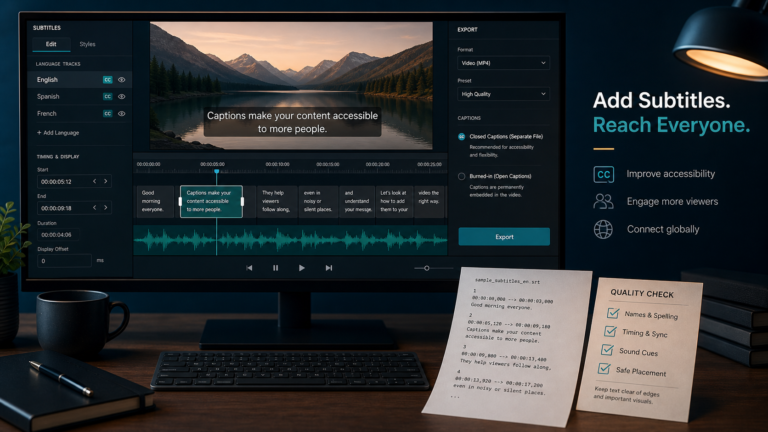
They are useful starting points, not a final accessibility or accuracy check. Review names, technical terms, timing, speaker context, intent, meaning, and the experience of people relying on the text before publishing.

CHOOSE THE VIEWER JOB BEFORE THE AI VIDEO TOOL

Make the video faster.
Keep the work true.

When the team can name the viewer, message, source and consent boundary, production role, review owner, accessibility requirement, and publishing decision, choosing an AI video tool becomes a more grounded decision.

Find my creator stack →Browse all AI tools →