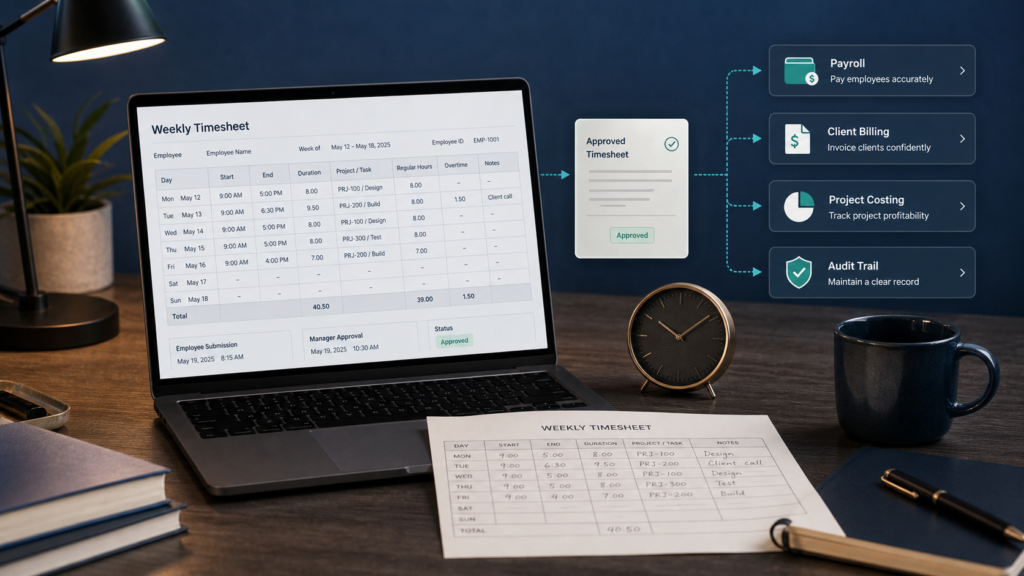
A timesheet is a dated record of time worked or allocated. Its value comes from accurate entries, clear purpose, controlled approval, and traceable corrections—not from a particular paper or software format.
A timesheet is a dated record of the time a worker spent working or allocated to particular projects, tasks, clients, or cost codes during a defined period. It may record start and end times, durations, breaks, paid leave, job codes, notes, submission, approval, and corrections. Organizations use approved timesheets for payroll inputs, client billing, project costing, staffing analysis, and work-record retention.
The surprising part is that a timesheet is not necessarily a sheet and does not have to be a stopwatch log. It can be paper, a spreadsheet, a form, a clock system, or an application. What matters is whether the record is complete, accurate, understandable, controlled, and suitable for the decision or obligation it supports.
Start with the decision the timesheet supports
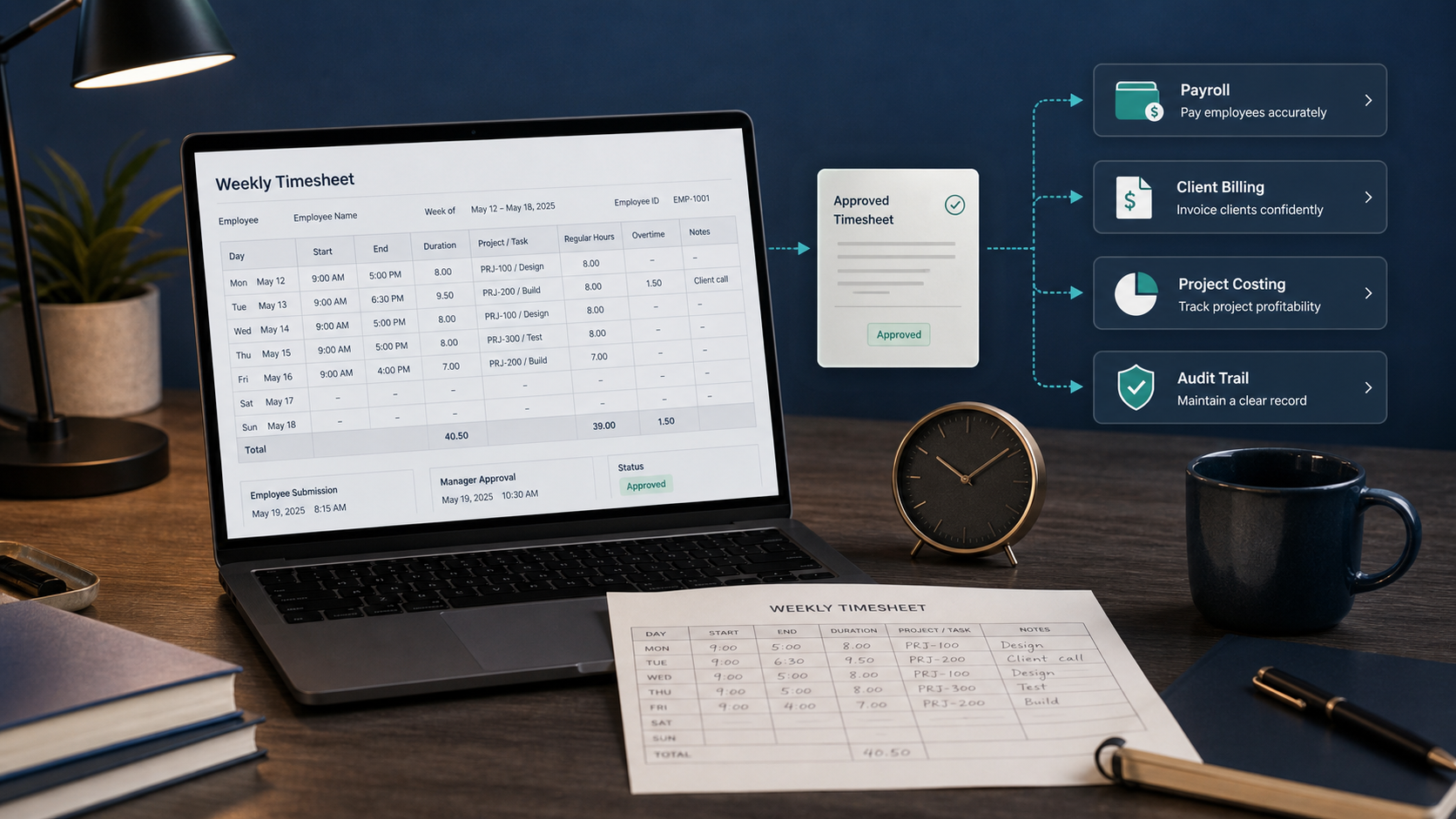
“Track time” is not a complete purpose. Ask which downstream decision needs the record:
- Payroll: Which hours and paid-time categories belong in the pay period, and what other payroll rules apply?
- Client billing: Which approved hours are billable to a client, engagement, or contract?
- Project costing: How much labor was allocated to a project, phase, work order, or cost center?
- Capacity planning: Where did available time go, and is the classification consistent enough to compare periods?
- Compliance and audit: Can the organization show the relevant time and pay records and explain changes?
One entry may feed several systems, but that does not make every field appropriate for every worker. Payroll needs can depend on employment status and jurisdiction. Project notes may expose client or personnel information. Analytics needs stable work codes rather than long free-text narratives.
Separate a timesheet from nearby records
| Record | What it represents | What it does not prove by itself |
|---|---|---|
| Timesheet | Time worked or allocated during a completed or active period | That every hour has been approved, paid, or billable |
| Schedule | Time someone is expected to work in the future | The hours actually worked |
| Clock record or time card | Clock-in, clock-out, or presence events | How time maps to a project or whether all events are compensable |
| Invoice | An amount requested from a customer | That underlying labor records are accurate or contractually billable |
| Payroll register | Pay components processed for a pay period | The complete source-level explanation for each time entry |
A system may combine these artifacts, but keep the concepts separate. A scheduled eight-hour day is not automatically an actual eight-hour day; an employee may start late, work extra, take an unpaid break, attend paid training, or perform other time that policy and law treat differently.
Choose fields by purpose
A practical timesheet normally identifies the worker, period, quantity of time, allocation when required, and record state. Add a field only when you can state who uses it and why.
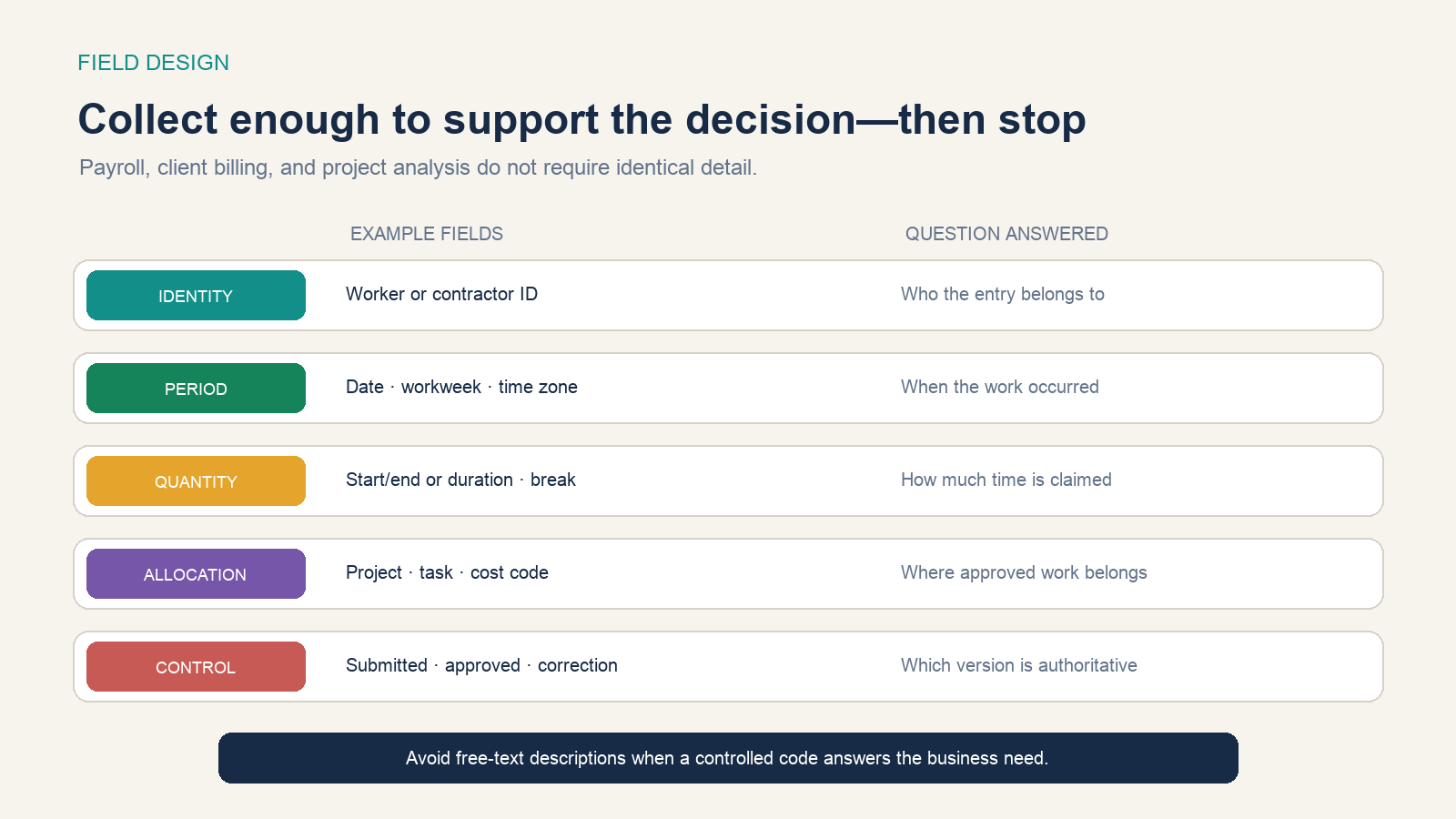
| Field group | Possible fields | Design question |
|---|---|---|
| Identity | Worker ID, employing entity, department | Can the record be joined to the right person without copying sensitive identifiers? |
| Period | Date, workweek, pay period, time zone | Which boundary controls totals and approvals? |
| Quantity | Start/end, duration, break, paid-time category | Does the organization need events, daily totals, or both? |
| Allocation | Client, project, task, work order, cost code | Which controlled code supports billing or costing? |
| Control | Submitted, returned, approved, posted, corrected | Which version is authoritative and who changed it? |
Avoid storing Social Security numbers or equivalent government identifiers in ordinary timesheet views. Restrict access by role. Use structured codes for repeatable analysis and reserve notes for necessary exceptions; never ask workers to place passwords, health details, or unrelated personal information in a time-entry description.
Calculate one week without losing the source entries
Suppose a worker records these daily spans and unpaid breaks:
| Day | Start–end | Unpaid break | Recorded work | Allocation |
|---|---|---|---|---|
| Monday | 9:00–17:30 | 0.5 hour | 8.0 hours | Project A 5.0; Internal 3.0 |
| Tuesday | 8:45–18:00 | 0.75 hour | 8.5 hours | Project A 4.0; Project B 4.5 |
| Wednesday | 9:00–17:00 | 0.5 hour | 7.5 hours | Project B 7.5 |
| Thursday | 9:15–18:15 | 0.5 hour | 8.5 hours | Project B 3.0; Project C 5.5 |
| Friday | 9:00–17:30 | 0.5 hour | 8.0 hours | Project C 8.0 |
| Total | — | 2.75 hours | 40.5 hours | A 9.0; B 15.0; C 13.5; Internal 3.0 |
For each day, recorded work is the elapsed span minus the recorded unpaid break in this example. The allocation total must equal the daily recorded work, and project totals must reconcile to the weekly total. Preserve the original start, end, break, and allocation entries so a reviewer can reconstruct the result.
This is a time calculation, not a pay calculation. Overtime, meal periods, rounding, travel, training, on-call time, paid leave, rate components, exemptions, and contract terms can change what must be paid or billed. Apply the rules that govern the actual worker and jurisdiction.
Control submission, approval, and correction
A reliable timesheet has states and ownership. The worker records actual time close to when it occurs. The system validates missing days, duplicate intervals, impossible overlaps, allocation mismatches, and other configured exceptions. A named reviewer approves or returns the record with a reason. Posting sends the authorized version to payroll, billing, or costing.
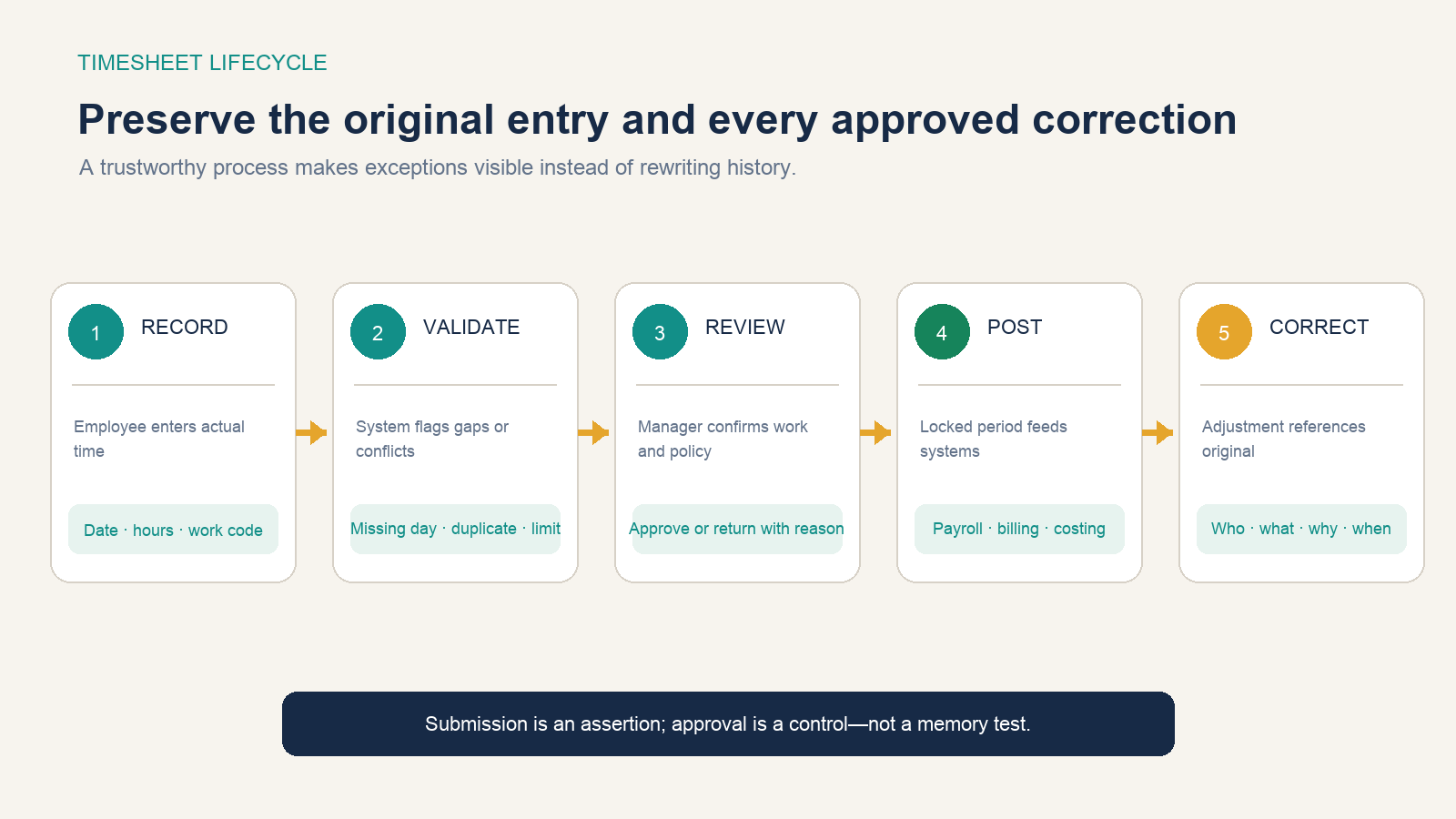
A correction record should show the original value, revised value, reason, requester, approver, date, and affected downstream transaction. Locking a period may protect the posting process, but it should not prevent a lawful correction. Build an adjustment route rather than encouraging an administrator to overwrite history.
Approval also needs a standard. A manager can confirm project or schedule knowledge, not re-create every minute from memory. High-quality review focuses on exceptions, work-code fit, unexplained changes, and reconciliation rather than rubber-stamping a total.
Use the record without turning it into surveillance
A timesheet can answer “how much approved time was allocated to this task?” without continuously capturing screenshots, keystrokes, precise location, or application activity. More granular monitoring creates privacy, security, trust, and interpretation risks and may be subject to notice, consultation, consent, or other rules depending on location.
Collect the least detail that supports the legitimate business purpose and applicable obligation. Explain the purpose, users, retention, correction path, and employee access. Restrict client notes and personal information. Do not infer productivity from hours alone: elapsed time does not measure complexity, quality, learning, blocked dependencies, or business value.
Keep compliance separate from software configuration
In the United States, the Department of Labor’s FLSA recordkeeping fact sheet says covered employers must maintain specified identifying, hours, and wage information for covered nonexempt workers. It also says the federal law requires no particular record form and permits different timekeeping methods if records are complete and accurate. Fixed schedules may be recorded with exceptions when actual hours differ.
The DOL’s off-the-clock resources explain that covered hours can include additional work the employer suffers or permits, not only scheduled or requested time. Its current FLSA overview also notes that state wage laws may provide different or higher standards. A software rule that blocks an entry or automatically subtracts time does not override the governing rule.
Record retention is purpose-specific. The DOL fact sheet gives federal examples for payroll and wage-computation records; the IRS recordkeeping guidance states that a business may choose a suitable system that clearly shows income and expenses and currently says to keep employment-tax records for at least four years. Other federal, state, local, tax, contract, grant, sector, and collective-bargaining requirements may differ.
This overview is not legal or payroll advice. Before configuring required fields, rounding, automatic breaks, overtime, approval, editing, retention, or employee monitoring, identify the worker classification, jurisdictions, pay arrangement, contracts, and applicable policies, then obtain qualified guidance where the answer affects wages or rights.