A practical invoice workflow covering document choice, required fields, numbering, line-item math, tax checks, payment instructions, secure delivery, corrections, and records.
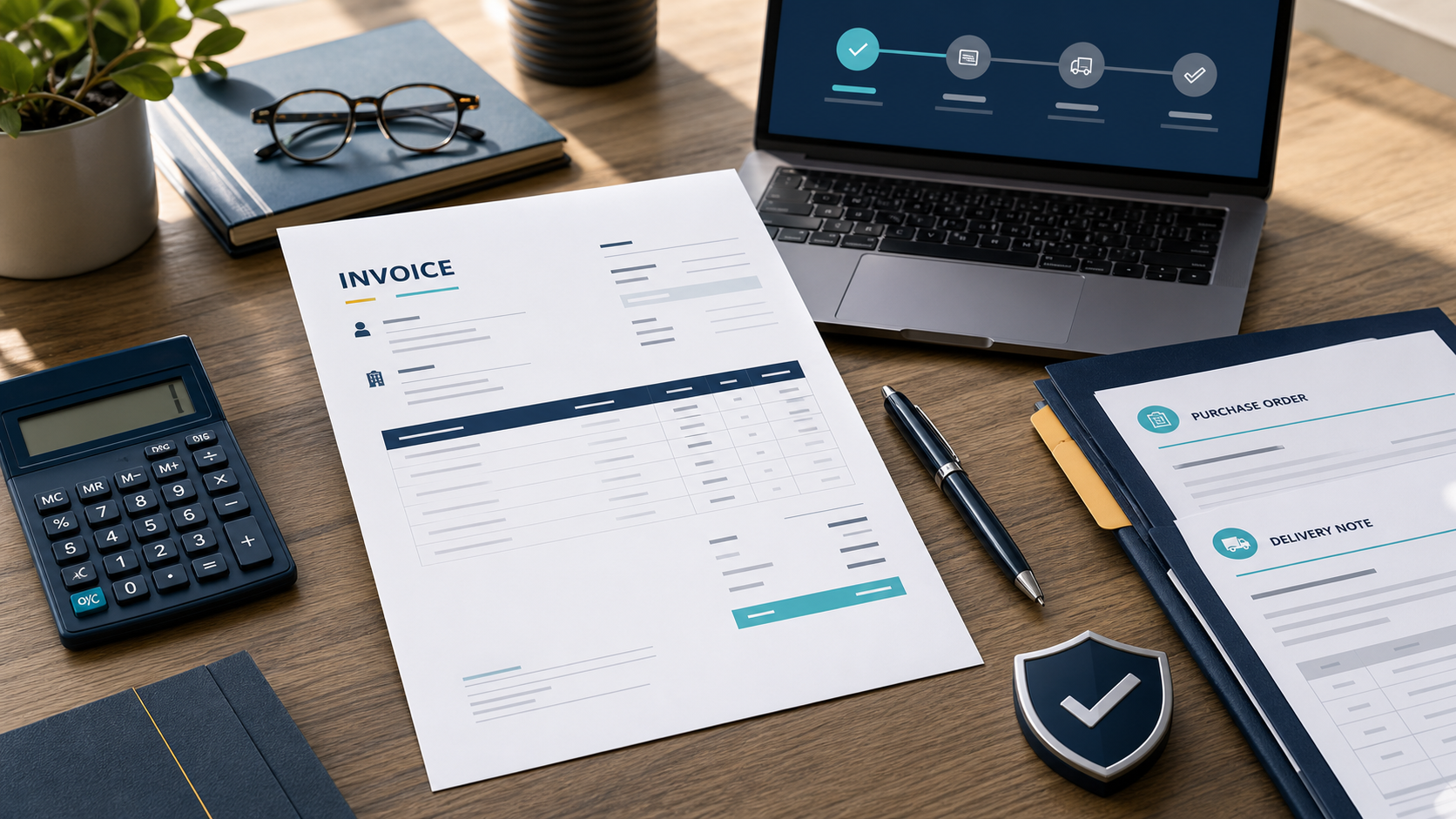
An attractive invoice can still fail. The customer may reject an unfamiliar legal name, the accounts team may be unable to match a purchase order, tax may be calculated on the wrong base, or a changed bank account may trigger a fraud hold. The practical job is not to decorate a bill; it is to create a transaction record another person can approve without guessing.
To make an invoice, start from the approved order or contract, give the invoice a unique sequential number, identify the seller and customer, show invoice and supply dates, describe each item with quantity or hours and unit price, calculate discounts, tax, total and prior payments, state the currency, exact due date and verified payment method, then export a readable PDF. Reconcile it to the agreement and delivery evidence, send it to the customer’s approved billing contact, record delivery, and track it until paid or formally corrected.
This guide provides a country-neutral operating model, not a universal tax form. Invoice requirements change with the seller’s and customer’s locations, tax registrations, transaction type, currency, government or enterprise procurement rules, and sometimes the delivery location. Confirm those variables with the relevant tax authority or accountant before treating any template as compliant.
Use the right document before you format it
“Invoice” is often used for several documents that do different jobs. Choose the record that matches the transaction stage.
| Document | Its job | What it is not |
|---|---|---|
| Quote or estimate | Proposes scope and price before approval | A demand for payment or proof of sale |
| Pro-forma invoice | Presents expected commercial details before the final invoice in workflows that use one | Automatically a valid tax invoice or posting document |
| Invoice | Requests payment for an agreed supply, milestone, deposit, or period | Proof that money was received |
| Receipt | Acknowledges payment | A replacement for every invoice or tax record |
| Credit note or adjustment note | Reduces or corrects an issued invoice while preserving the audit trail | Permission to erase or silently rewrite the original |
GOV.UK explicitly distinguishes an invoice from a receipt. EU VAT guidance also requires a correction document to refer unambiguously to the original invoice in relevant cases. If the buyer is creating the invoice on the supplier’s behalf, that is self-billing or recipient-created invoicing and can require an agreement and special wording; do not improvise it from a normal template.
Start with transaction evidence and local rules
Open the contract, accepted quote, statement of work, purchase order, change approvals, delivery note, time record, or milestone acceptance. Collect these facts before touching the invoice layout:
- the supplier’s exact legal or trading identity, registered address, contact, and applicable tax identifier;
- the customer’s legal billing name, bill-to address, accounts-payable contact, tax identifier when required, and supplier-portal instructions;
- the PO, contract, project, cost-center, or buyer reference that routes approval;
- what was supplied, when, in what quantity, at which agreed price, and in which currency;
- discount, expense, freight, withholding, sales-tax, VAT, GST, exemption, reverse-charge, or cross-border treatment confirmed for this transaction;
- the agreed due-date rule, payment method, remittance contact, and any lawful late-payment term already in the contract.
Do not add VAT, GST, or sales tax merely because a template has a tax box. For example, the European Commission lists additional wording for certain exemptions, reverse-charge transactions, self-billing, and margin schemes. Australian guidance distinguishes a regular invoice from a “tax invoice” based on GST registration. The safe rule is simple: establish the jurisdiction and registration facts first, then apply the official rule.
Create a unique number and a stable record
Use a number that identifies exactly one issued invoice. A sequence such as 2026-0048 is human-readable; a business with separate legal entities or systems might use US1-2026-0048. The prefix may have meaning, but the complete value must remain unique. Both UK and EU official guidance include a unique or sequential invoice identifier among required fields for the invoices they govern.
Generate the number from a controlled register or invoicing system—not by checking the last PDF in a downloads folder. Your register should store invoice ID, customer, issue date, supply period, currency, total, tax, due date, current status, delivery evidence, payment reference, and the filename of the immutable issued copy. A missing number may be explainable, but a silently reused or overwritten number makes reconciliation difficult.
Create the draft in a restricted working location. If several people invoice, assign number generation and approval roles. Larger operations normally place this control inside an accounting or ERP workflow; a freelancer can achieve the same basic discipline with a protected register and clear ownership.
Build the invoice from a field map
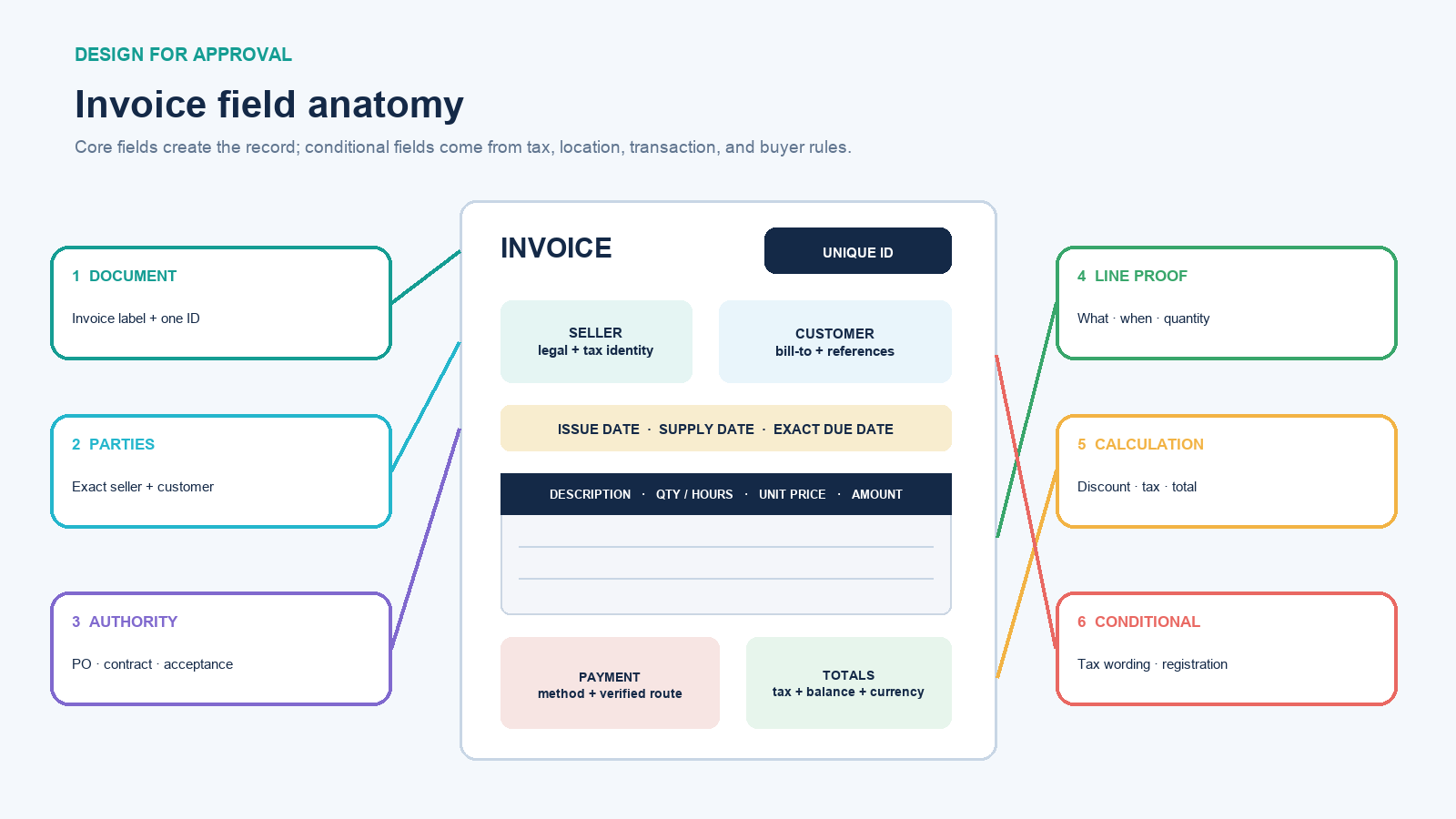
Arrange information in the order an approver needs it. A logo can support recognition, but it cannot replace legal identity.
- Document identity: label the document “Invoice,” then show the unique invoice number prominently.
- Seller and customer: show exact names, addresses, contact routes, and the tax or registration identifiers required for this supply.
- Dates and references: include issue date, supply or service date when different, PO or contract reference, and an exact due date.
- Line items: write a description that lets the buyer connect each charge to delivered work. Show date or period, quantity or hours, unit, unit price, and line amount.
- Adjustments: place discounts, approved expenses, shipping, withholding, or prior deposits where their calculation is clear.
- Tax: show taxable base, rate, amount, registration number, and required special wording only when applicable.
- Totals: show subtotal, total tax, grand total, payments or credits already applied, balance due, and currency.
- Payment: state accepted method, verified destination, payment reference, remittance contact, and any processor link or fees authorized by the agreement.
UK guidance, for example, lists the unique number, both parties, description, supply and invoice dates, amounts, VAT when applicable, and total owed. EU full VAT invoices add details such as quantity, pre-tax unit price, discounts not included in that price, tax breakdown, and special wording in defined cases. These examples are useful completeness checks, not permission to copy one jurisdiction’s rules into another.
Calculate every amount in a visible order
Use formulas rather than typing totals twice. This fictional example assumes a 10% transaction tax solely to demonstrate the calculation; it does not tell you which tax applies.
| Entry | Calculation | Amount |
|---|---|---|
| Design sprint | 3 days × 600.00 | 1,800.00 |
| Licensed asset | 1 × 85.50 | 85.50 |
| Gross subtotal | 1,800.00 + 85.50 | 1,885.50 |
| 5% discount on design sprint only | 1,800.00 × 5% | −90.00 |
| Taxable subtotal | 1,885.50 − 90.00 | 1,795.50 |
| Illustrative tax | 1,795.50 × 10% | 179.55 |
| Invoice total | 1,795.50 + 179.55 | 1,975.05 |
| Deposit received | Recorded prior payment | −500.00 |
| Balance due | 1,975.05 − 500.00 | 1,475.05 |
In a spreadsheet, use cells such as LineAmount = Quantity * UnitPrice, Discount = EligibleBase * DiscountRate, Tax = TaxableBase * TaxRate, and BalanceDue = GrandTotal - PaymentsApplied. The percentage guide explains the difference between finding a percentage of an amount and measuring a percentage change.
Decide whether the agreement prices are tax-inclusive or tax-exclusive, which lines are taxable, and how each jurisdiction requires rounding. Round where the legal or accounting rule says—not merely at whichever point makes the displayed total work. Then independently recalculate the final PDF from its visible lines. Formula cells can be wrong, hidden, replaced, or pointed at the wrong range.
Make payment instructions usable and hard to tamper with
“Net 30” is less actionable than “Due September 16, 2026.” Show the exact date, currency, accepted methods, beneficiary identity, account or secure payment destination, and invoice number to use as the reference. Put dispute and remittance contacts beside the instructions. Late fees, early-payment discounts, card surcharges, and collection costs should reflect the signed agreement and applicable law—not language copied from a random template.
Treat any change to bank details as a high-risk event. The FBI’s business-email-compromise guidance describes fraud involving apparently familiar vendors and changed payment instructions. Tell customers to verify any change using a known contact method, not the phone number or link inside the change message. Internally, require independent approval before altering the customer master record. If a fraudulent transfer occurs, contact the financial institution immediately.
Protect customers in the other direction too. Verify unexpected supplier invoices against an approved purchase and vendor record before payment. The FTC warns that fake invoices may demand payment for unordered services or carry phishing links. A polished PDF and an urgent “past due” label are not evidence that a debt exists.
Run a three-way match before sending
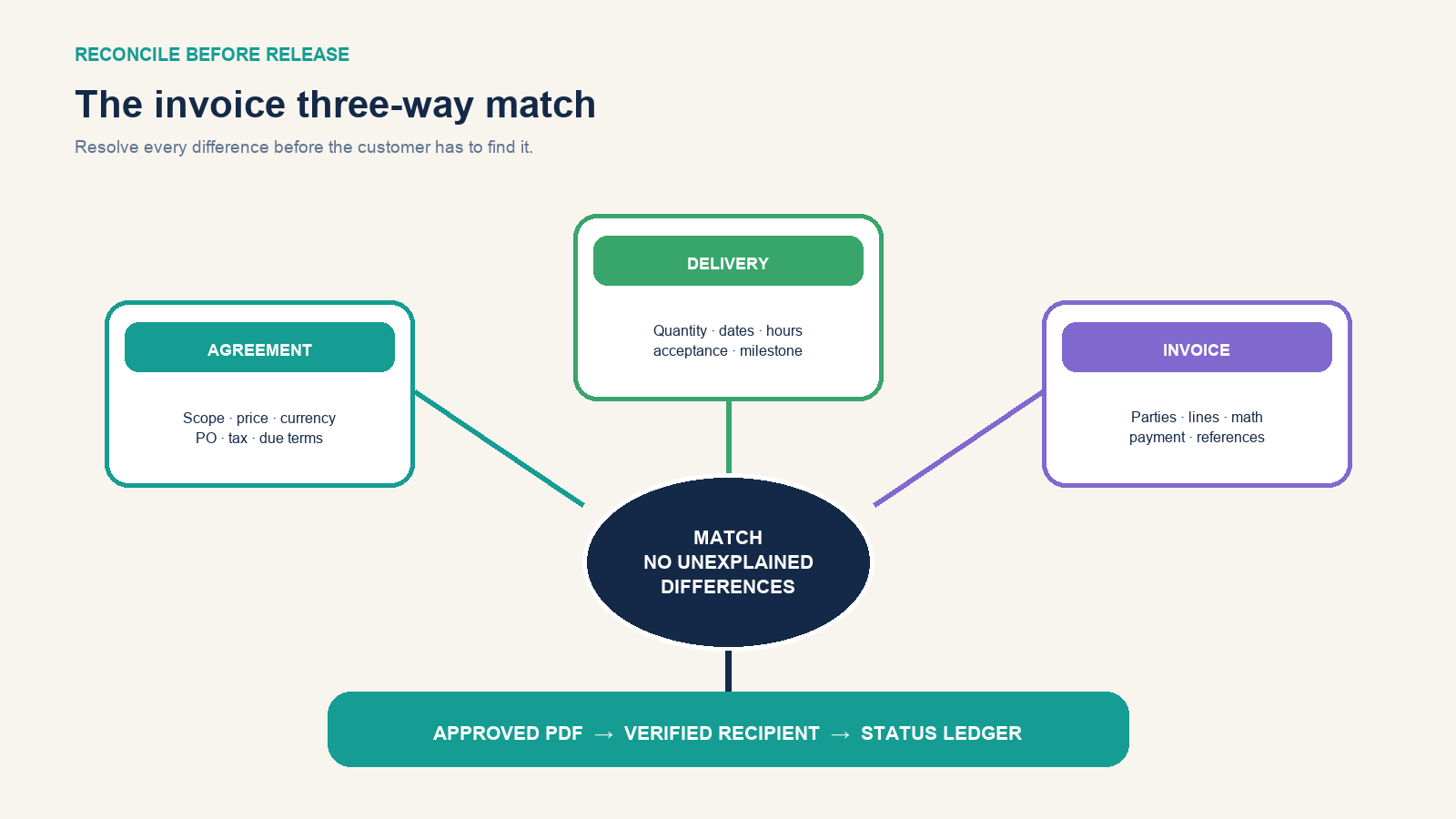
Compare three records:
- Agreement: approved supplier, customer, scope, price, currency, tax treatment, milestone, PO, and payment terms.
- Delivery: accepted deliverable, shipment, service dates, time approval, quantity, milestone sign-off, or customer change request.
- Invoice: the parties, references, lines, calculations, due date, payment destination, and attachments actually being sent.
Investigate every mismatch. Do not bill the original quantity when the delivery note shows a partial shipment; do not invoice out-of-scope work without an approved change; and do not assume the person who requested work is the bill-to contact. Check spelling and addresses, open every payment link, confirm the PDF is selectable and readable, remove comments or hidden sheets, and make sure attachments contain no unrelated customer data.
Create, approve, export, and deliver the invoice
A word processor works for occasional fixed invoices; a spreadsheet is better for transparent calculations; invoicing or accounting software is better when you need numbering, tax rules, recurring bills, approvals, reminders, multi-currency records, and reconciliation. Whatever the tool, lock formulas and reference data, restrict template changes, and keep an edit history.
Export the approved version to a readable PDF unless the customer requires structured e-invoicing or a supplier portal. Electronic invoices still need the required content; HMRC guidance emphasizes authenticity, integrity, legibility, and an audit trail for the records it governs. Do not send a screenshot of a spreadsheet. Give the issued file a stable name such as INV-2026-0048_CustomerName.pdf and never include sensitive banking data in the filename.
Send from the expected business channel to the approved billing contact. In the message, state invoice number, amount, currency, due date, project or PO, and attachment count. Ask for portal or receipt confirmation when the process supports it. Save the exact issued PDF, email or submission record, and customer acknowledgment—not just the editable template.
Track the invoice after you send it
Move the record through explicit states: draft → approved → issued → delivered → due → paid. Add disputed, overdue, voided, or credited when those events occur. Record dates and evidence for each transition. “Sent” means your system transmitted it; “received” or “accepted” requires stronger evidence.
When payment arrives, match amount, currency, payer, date, fees, and reference to the invoice. Record partial payments separately and keep the remaining balance visible. Connect the receipt to the bookkeeping process and reconcile it with the broader system used to track business transactions.
If an issued invoice is wrong, preserve it. Depending on the jurisdiction and accounting state, void it before posting or issue a credit or adjustment document and a corrected invoice referencing the original. Never replace the customer’s copy while keeping the same number and no correction trail. The IRS explains that supporting documents feed journals and ledgers, and that electronic systems must provide complete, accurate, accessible records; an invoice folder alone is not the books.
The 60-second handoff check
Before release, an independent reviewer—or you after a deliberate pause—should be able to answer yes to all of these:
- Does this document have the correct type, unique number, legal parties, and jurisdiction-specific fields?
- Can every line be traced to an agreement and delivered item, period, or milestone?
- Do quantity, unit price, discount, taxable base, tax, total, payments, and balance recalculate?
- Are currency, exact due date, buyer reference, billing contact, and payment method unambiguous?
- Were new payment details independently verified, and is the recipient told to verify future changes?
- Is the PDF readable, final, correctly attached, free of unrelated data, and recorded in the invoice register?
- Can the business later prove approval, delivery, issue, receipt, correction, and payment?
If one answer is no, the invoice is still a draft. When every answer is yes, send the approved copy, record the delivery event, and put the next action date in the ledger. That final step turns a document into a controlled path to payment.