An email alias adds another route to an inbox, but sending, login, privacy, and ownership rules depend on the type and provider.
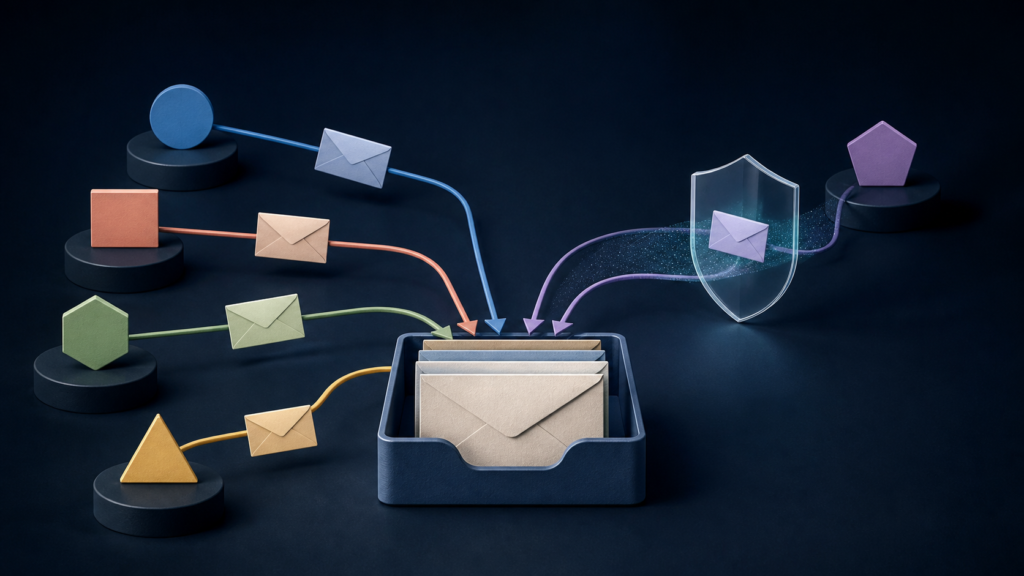
Suppose Jordan uses jordan@northwind.example but publishes orders@northwind.example. Messages to both addresses can arrive in Jordan’s existing inbox. An email alias is another address attached or routed to an existing email destination rather than a separate mailbox with its own messages and storage.
That definition covers the common case, but providers use “alias” for several different mechanisms. An alias may or may not be usable in the From field, as a sign-in name, or as a privacy shield. The useful question is not just “Where does mail arrive?” but also “Who can send, what can log in, and which address does the other person see?”
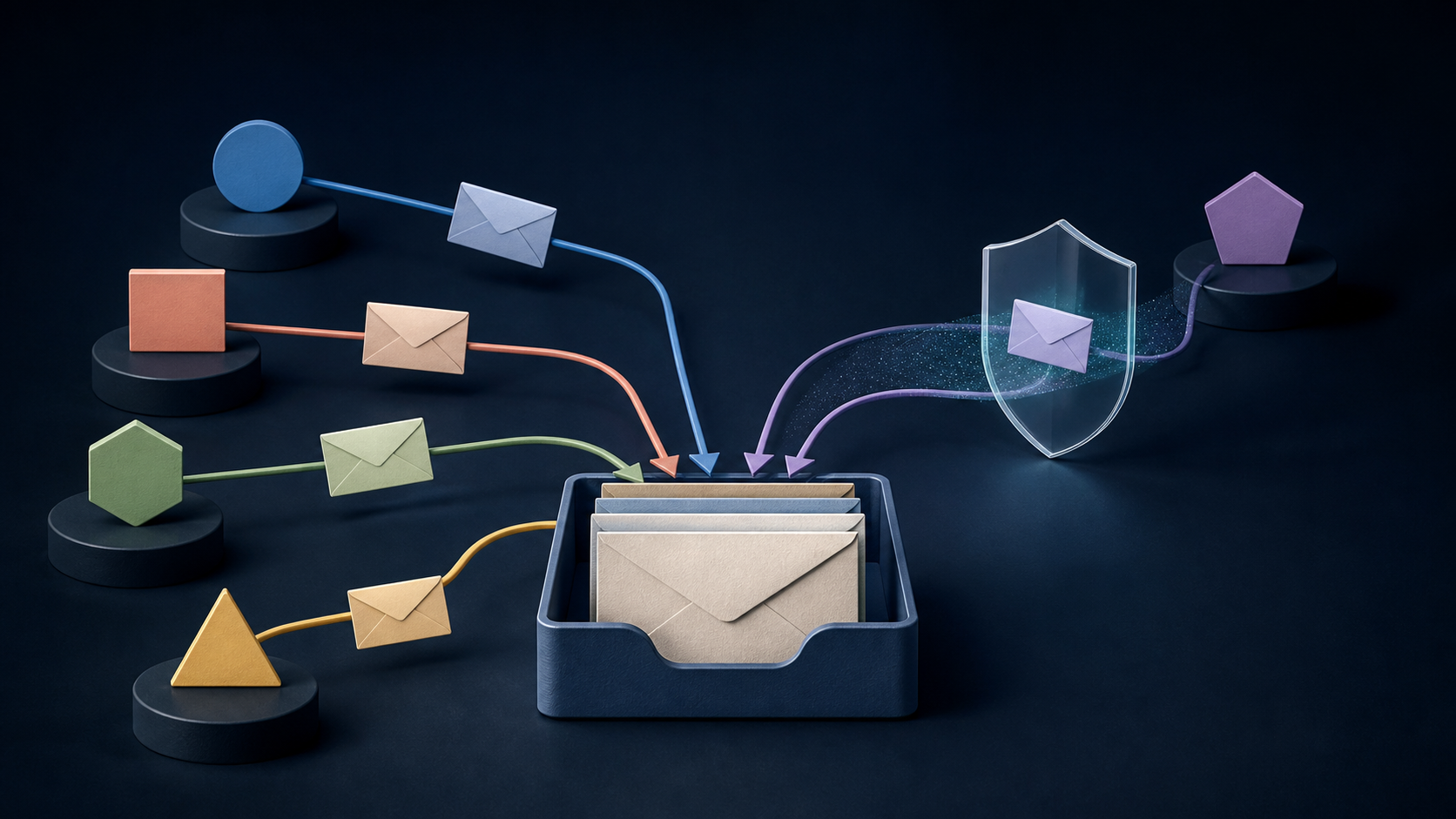
What an email alias changes—and what it does not
A conventional mailbox alias changes the address at which mail can reach an existing mailbox. It normally does not create another inbox, storage quota, message history, or independent user. If billing@northwind.example is an alias for Jordan, a message sent there appears in Jordan’s mailbox alongside mail sent to the primary address.
The account boundary still depends on the service. Google Workspace says an administrator-created alias routes to one user’s primary inbox, is not a Google Account, and cannot be used to sign in to Google services. Microsoft also uses “alias” for another username attached to the same Microsoft account, and any of those usernames can sign in to that account. Neither case creates a second independent account, but the Microsoft account relationship alone does not prove that an external address is forwarded into Outlook.
| Question | Safe default assumption | What to verify |
|---|---|---|
| Does it have a separate inbox? | No. A mail alias normally targets an existing inbox. | Whether an inbound route exists and what its exact destination is. |
| Does it have a separate password? | No. A mailbox alias is not a security boundary. | Whether it is also accepted as a sign-in identifier for the same account. |
| Can I receive mail? | Only after an inbound route is active. | External delivery, spam handling, and propagation time. |
| Can I reply as the alias? | Do not assume so. | The visible From and Reply-To addresses at an external mailbox. |
| Can I start a new message from it? | Only if the provider or outgoing server supports and authorizes it. | From-address setup, delivery, and the received headers. |
| Does it hide my primary address? | Only a purpose-built masked relay is designed to do that. | What the recipient, service, and account-recovery flow expose. |
Five mechanisms people call an email alias
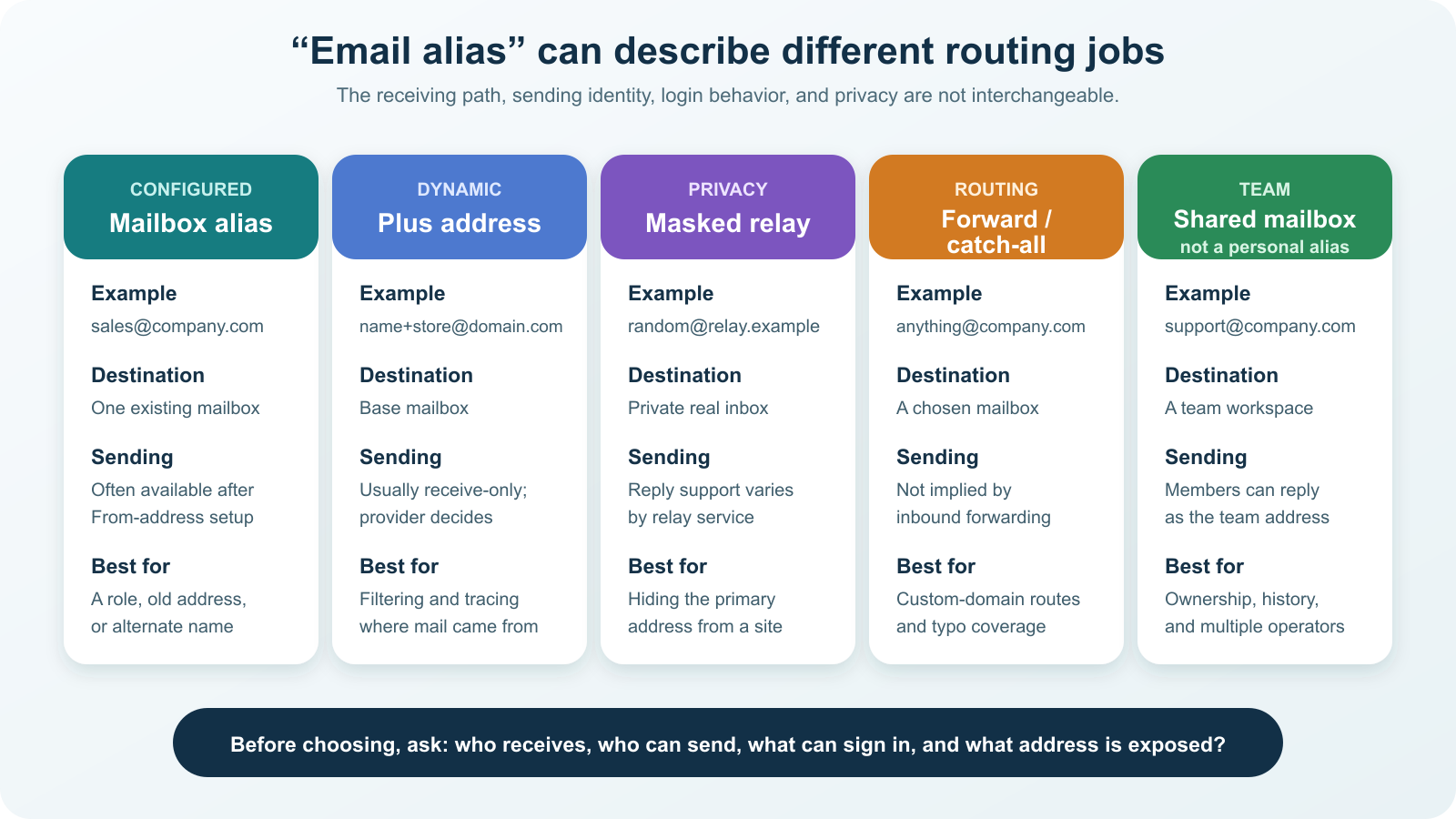
1. A configured mailbox alias for another name or role
This is the classic alias: an administrator or email provider binds another complete address to one existing mailbox. It works well when one person performs several roles, an organization wants sales@ to reach a named employee, or an old address must continue receiving mail after a rename.
Google Workspace’s administrator documentation currently allows up to 30 aliases per user at no extra cost. Each alias belongs to one user, and the user signs in to the primary account to read the messages. Sending from the alias requires the user to configure a custom From address. That is a product rule, not a universal alias rule.
Microsoft’s terminology illustrates why the routing test matters. Its account-alias guidance says another email address can work as a username for the same Microsoft account, and any alias can sign in. Its separate Outlook.com sending guide says a Microsoft-account alias can be selected in the From field. However, adding an existing address from another provider as a Microsoft username is not the same thing as creating an inbound forwarding rule from that provider. Verify receipt and sending as separate capabilities.
2. A plus address for sorting and source tracing
A plus address adds a detail tag before the domain: jordan+receipts@northwind.example. The mail system strips or interprets the tag and delivers the message to Jordan’s base mailbox. No administrator has to pre-create every tag when the provider supports dynamic subaddressing.
The IETF’s RFC 5233 defines a Sieve extension for comparing the user and detail portions of subaddresses; it uses + as a common example while noting that encoding is implementation-specific. Gmail documents plus-tag examples for filtering. Exchange Online calls them dynamic, receive-only addresses and says users cannot send from them. Test your own provider because a website may reject a plus sign and an organization may disable the feature.
A plus address is useful for rules and attribution—such as using a distinct tag for a newsletter—but it is weak privacy. Anyone who sees jordan+store@northwind.example can infer jordan@northwind.example. It also does not create a separate password or contain a compromised account.
3. A masked relay for address privacy
A masked alias is a generated address at a relay domain. The relay remembers the destination and forwards messages without giving the website your primary address. A different alias for each service makes it possible to deactivate one route without replacing your main address and can reveal which route began receiving unwanted mail.
Apple’s Hide My Email documentation is one current example: iCloud+ creates random addresses that forward to an address associated with the Apple Account, and replies can appear from the masked address instead of exposing the personal one. Other relay services can use different reply, sender-authorization, retention, and recovery rules.
A relay improves address separation; it does not make an account anonymous. The relay provider knows the mapping, a service can still identify a person through payment, device, or profile data, and access to the destination mailbox remains the critical security boundary. Protect that account with a unique credential and, where available, a passkey rather than treating aliases as authentication.
4. A forwarding address or catch-all route
Custom-domain services often let an address forward to a verified mailbox without hosting a full mailbox. That solves inbound delivery but does not automatically authorize outbound mail from the custom address. If replies must preserve the public identity, configure and test a supported outgoing route as a separate step.
A catch-all is broader: it handles mail sent to any otherwise unmatched local part at a domain. Cloudflare’s Email Routing documentation shows that an enabled catch-all can forward even a misspelled address such as ifno@ when only info@ was intended. That can rescue typos, but it also expands the addresses that accept spam and can conceal mistakes that should have bounced. Use explicit routes for important identities; turn on catch-all only when that broad behavior is intentional.
5. A shared team address when several people own the work
If multiple people must see history, assign work, and reply as support@, a personal alias is the wrong ownership model. Google Workspace explicitly limits a user alias to one user and points teams toward delegation or groups. Microsoft describes a shared mailbox as a place where a group can monitor mail and reply from the public address without signing directly into the shared account.
The decisive difference is not how the address looks. A personal alias delivers responsibility to one person; a shared mailbox or group makes responsibility visible to several authorized people. That distinction matters when someone is absent or leaves the organization.
Use this rule to choose the right type
| Job to be done | Best starting mechanism | Main limitation to accept |
|---|---|---|
| One person needs another public name or an old address kept alive | Configured mailbox alias | Same account and owner; sending may require setup. |
| One person wants filters or a tag for each signup | Plus address | The base address remains obvious and outbound use is often unsupported. |
| A person wants to withhold the primary address from a website | Masked relay | Recovery and reply behavior depend on the relay provider. |
| A custom domain needs inbound routes to an existing mailbox | Explicit forwarding address | Receiving does not establish an outbound identity. |
| A domain intentionally accepts every unmatched address | Catch-all route | More spam and silent typo acceptance. |
| Several people jointly own conversations and history | Shared mailbox, group, or help desk | Requires permissions and an ownership process. |
Run a five-stage acceptance test
An alias that works in the settings page can still fail in real mail flow. Test from an unrelated external account—not another address on the same domain—before printing the address, connecting it to account recovery, or giving it to customers.
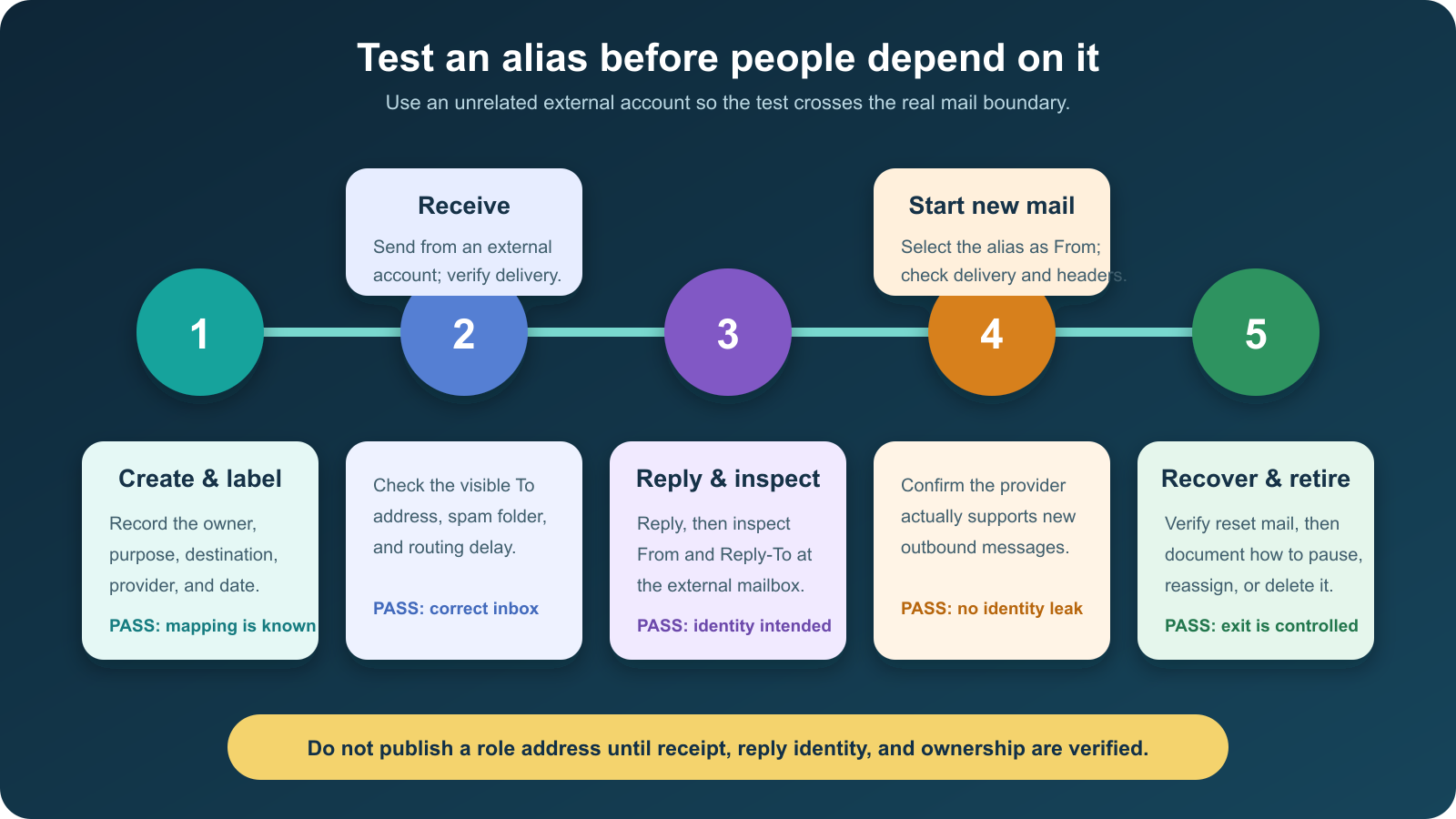
- Create and label the route. Record its type, provider, owner, destination, purpose, and creation date.
- Test inbound delivery. Send a uniquely worded message from an external account. Confirm the correct inbox receives it and note delay or spam placement.
- Reply and inspect. At the external mailbox, check the visible From and Reply-To addresses. For a privacy relay, verify that the primary address did not appear.
- Start a new conversation. If the use case requires outbound mail, select the alias in the From field and inspect what arrives. An expected failure here means the mechanism is receive-only, not broken.
- Test dependence and retirement. Verify a password-reset or notification message only on a noncritical test account, then document how to pause, reassign, reactivate, or permanently delete the alias.
For Gmail, the Send mail as guidance warns that From and Reply-To can require separate configuration, and some recipients may show the underlying address or “on behalf of” wording. That is why seeing the alias in your compose window is weaker evidence than inspecting the delivered message in another provider.
Keep an alias ledger
Aliases become operational debt when nobody remembers what depends on them. A simple ledger is enough for a person or small team:
| Field | Example | Why record it |
|---|---|---|
| Alias and type | orders@northwind.example — configured alias |
Shows which provider behavior to expect. |
| Owner and destination | Jordan → jordan@northwind.example |
Prevents an address from silently depending on a departed employee. |
| Purpose and audience | Public order questions | Makes overbroad reuse visible. |
| Outbound behavior | Reply and new From tested 2026-08-16 | Separates assumed support from verified identity. |
| Dependencies | Store contact page; two vendor accounts | Identifies what must change before retirement. |
| Retirement rule | Reassign on role change; retain old route for 90 days | Creates a controlled exit instead of an abrupt bounce. |
For private aliases used at websites, replace “audience” with the service name and record whether the alias is used for sign-in, notifications, or account recovery. Before deactivating it, change the address at the service and complete a new recovery test.
Repair the common alias failures
- Replies expose the primary address: set the correct From and Reply-To behavior, use a relay that supports private replies, or treat the alias as receive-only.
- A team address depends on one person: move it to a shared mailbox, group, or help desk with named members and retained history.
- Mail stops after a rename: verify that the old address remains attached or forwarded, then test from outside the domain before announcing the change.
- A plus address is rejected by a form: use a configured alias or masked relay; removing the tag defeats the sorting and source-tracing purpose.
- A catch-all collects too much junk: disable it and create only the explicit routes people actually use.
- An alias cannot be retired safely: inventory sign-ins, recovery flows, subscriptions, public pages, and forwarding rules before deleting it.
Choose the smallest mechanism that matches the job
Use a configured alias when one person needs another name, a plus address when the goal is filtering, a masked relay when the goal is withholding the primary address, an explicit forward when a custom domain only needs inbound routing, and a shared mailbox when several people own the work. Catch-all routing is a deliberate exception, not the default.
Then verify receipt, reply identity, new-message behavior, recovery, and retirement. An email alias is simple only at the routing layer; the moment it represents a public role, a login, or a private identity, ownership and exit behavior matter just as much as delivery.