
A baseline-first method for calculating percentage increase, checking it in reverse, and avoiding zero-base and percentage-point errors.
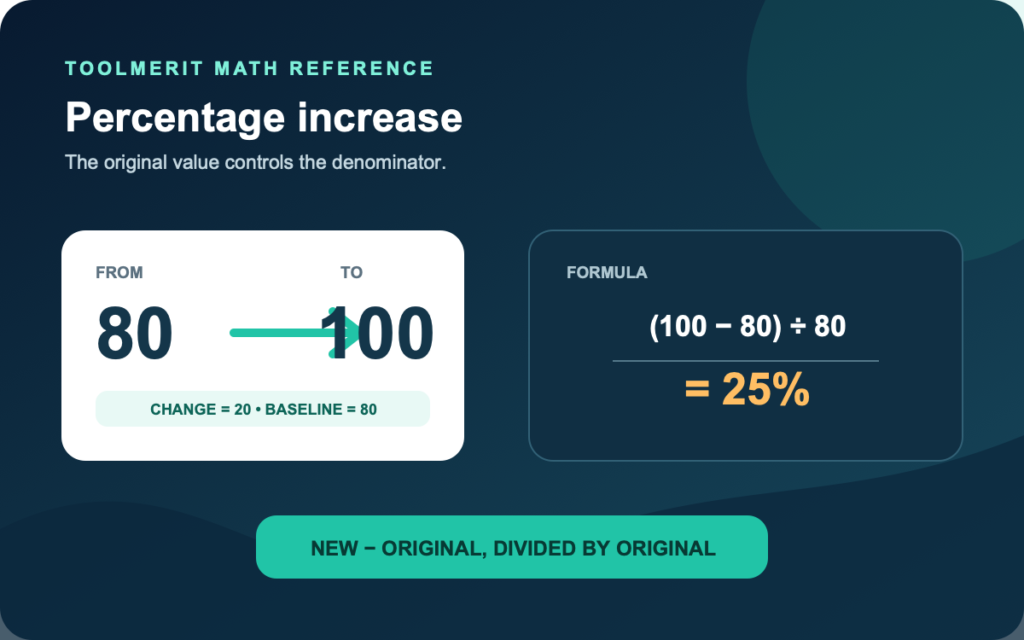
A value moves from 80 to 100. The increase is 20, but 20 is not the percentage answer. It must be compared with the value you started from: 20 ÷ 80 = 0.25, so the increase is 25%.
To work out a percentage increase, subtract the original value from the new value, divide the increase by the original value, and multiply by 100: percentage increase = ((new − original) ÷ original) × 100%. For example, an increase from 80 to 100 is ((100 − 80) ÷ 80) × 100% = 25%.
The denominator is the part that causes most errors. Percentage increase is directional: it asks how large the change is relative to the original value, not relative to the larger value, the average, or whichever number is easiest to divide by.
Work the formula in four labeled lines
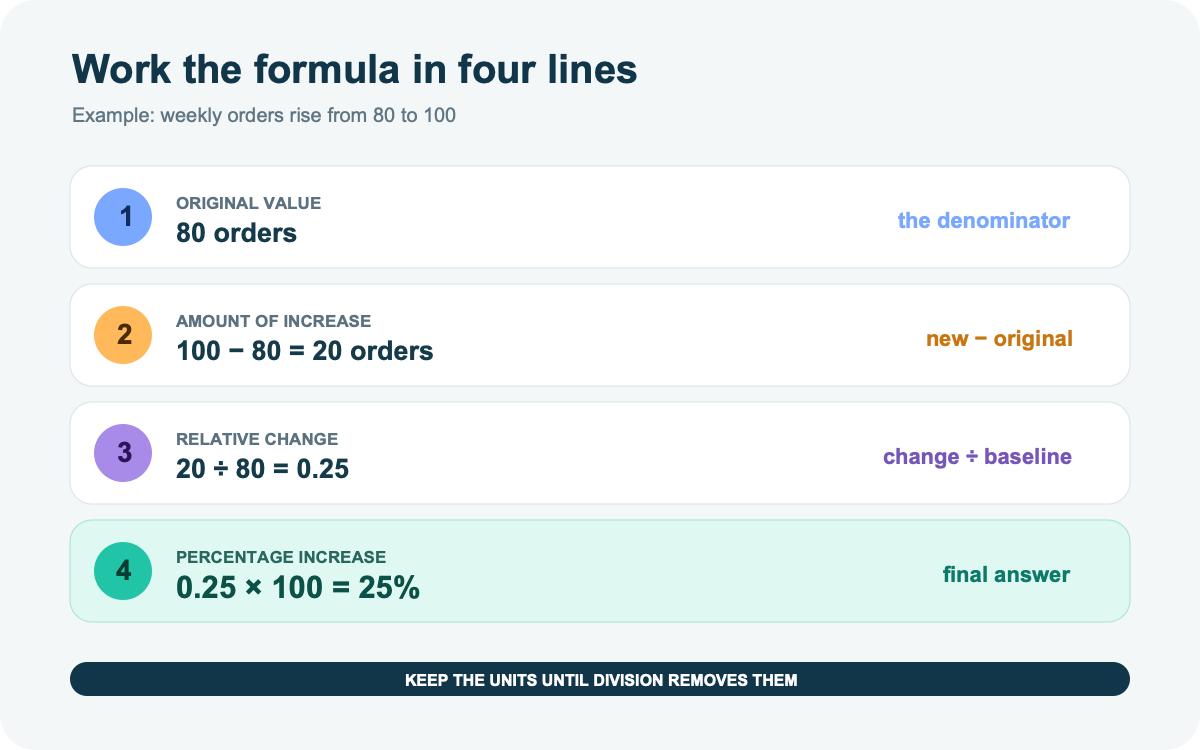
Write the old value and new value before entering anything into a calculator. Then keep the units visible until the division removes them.
Example: a weekly count rises from 80 orders to 100 orders.
- Original value: 80 orders
- Increase: 100 − 80 = 20 orders
- Increase as a share of the original: 20 ÷ 80 = 0.25
- Convert to a percentage: 0.25 × 100 = 25%
The compact calculation is:
((100 − 80) ÷ 80) × 100% = 25%
This is the same relationship taught in OpenStax’s percent-increase method: find the amount of increase, then express that increase as a percentage of the original amount. Parentheses matter when entering the one-line formula. Without them, a calculator or spreadsheet may divide only the second number before subtracting.
Choose the baseline before touching the calculator
Look for direction words: from, to, was, now, previous, current, initial, and final. The value after from or the earlier value is normally the original baseline.
| Question wording | Original value | New value | Calculation |
|---|---|---|---|
| Price rose from $40 to $46 | $40 | $46 | (46 − 40) ÷ 40 = 15% |
| Signups were 250; now they are 300 | 250 | 300 | (300 − 250) ÷ 250 = 20% |
| Current output is 1,200 versus 1,000 last month | 1,000 | 1,200 | (1,200 − 1,000) ÷ 1,000 = 20% |
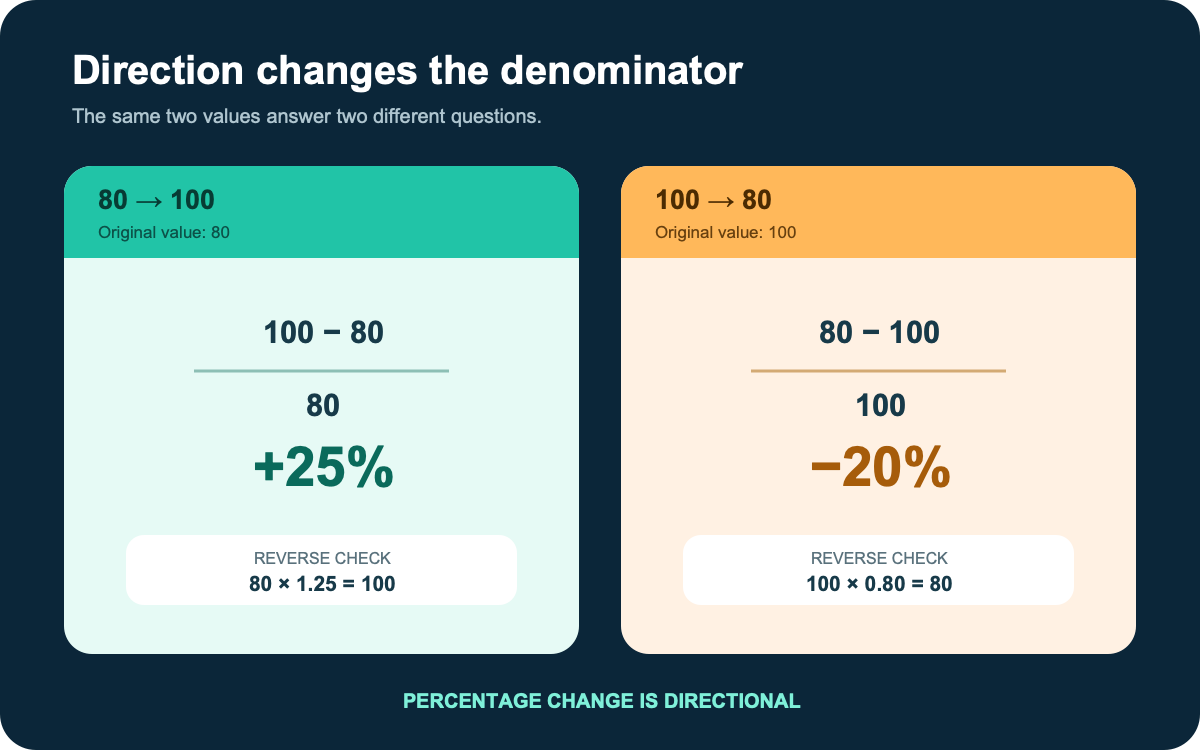
Reversing the numbers changes the question. From 80 to 100 is a 25% increase. From 100 to 80 is (80 − 100) ÷ 100 = −20%, which means a 20% decrease. A 25% rise followed by a 25% fall does not return to the start because the second calculation uses a different baseline.
Confirm that both numbers measure the same thing over comparable periods. A weekly total and a monthly total are not directly comparable. A visitor-to-conversion ratio also asks a different question; separate percentage change from a landing-page conversion rate before selecting the denominator. For organizational reporting, preserve comparable historical values in a governed data warehouse so a renamed metric or changed time window does not masquerade as growth.
Check the answer by rebuilding the new value
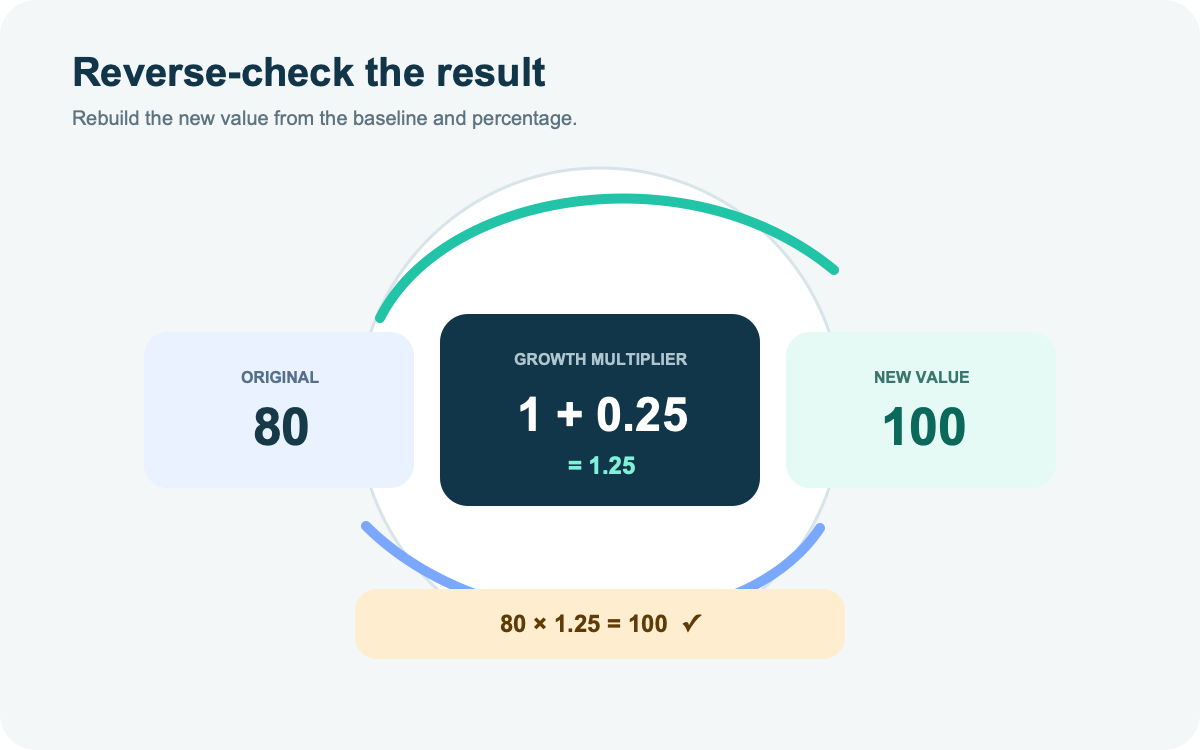
A percentage increase of r% corresponds to a multiplier of 1 + r ÷ 100. Rebuild the new value with:
original × (1 + percentage increase ÷ 100) = new
For the 80-to-100 example:
80 × (1 + 25 ÷ 100) = 80 × 1.25 = 100
If the rebuilt value does not match the stated new value within the intended rounding, inspect three things: whether the original value is correct, whether the subtraction direction is new minus original, and whether 25% was entered as 0.25 rather than 25. Round the final result, not the intermediate ratio, unless the problem specifies otherwise.
Separate percentage increase from nearby calculations
Several percentage questions look similar but use different numerators and denominators. Name the relationship before choosing a formula.
| Question | Formula | Example meaning |
|---|---|---|
| Percentage increase | (new − original) ÷ original × 100% | How much larger is the new value relative to where it started? |
| Percentage of a total | part ÷ whole × 100% | What share of visitors converted? |
| Percentage-point change | new percentage − old percentage | How far did a reported rate move on the percentage scale? |
| ROI | net return ÷ full cost × 100% | What return was produced relative to the investment base? |
| Yield | annual payment ÷ current price × 100% | What payment rate does the current price imply? |
If a conversion rate rises from 40% to 50%, the change is 10 percentage points. Relative to the original 40%, it is a 25% increase: (50 − 40) ÷ 40 = 0.25. The Office for National Statistics’ percentage and percentage-point guidance makes the distinction explicit: a one-percentage-point fall from 10% produces 9%, while a 1% relative fall produces 9.9%.
Use the formula that belongs to the decision. Use the ROI formula when the question is return on cost, and treat dividend yield as a dated rate, not a percentage increase. When you only need conversions divided by visitors, calculate a part-of-whole conversion rate with the dedicated tool.
Calculate the increase in a spreadsheet
Put the original value in cell A2 and the new value in B2. In C2, enter:
=(B2-A2)/A2
Then format C2 as a percentage. Do not also multiply by 100: percentage formatting already displays 0.25 as 25%. Microsoft’s percentage calculation guide uses this old-to-new structure and shows the same distinction between calculating a change and applying a known percentage to a number.
For a table that may contain a zero original value, make the undefined case visible:
=IF(A2=0,"N/A",(B2-A2)/A2)
To apply a known increase stored as 25% in D2:
=A2*(1+D2)
If you are new to references, tables, and percentage formatting, build the calculation into a usable Excel table and test it with the 80-to-100 example before filling the formula down a large data set.
Use percentage increase in real situations
Price: A subscription moves from $24 to $30. The increase is $6. Divide by $24: 6 ÷ 24 = 0.25, so the price increased by 25%. The reverse check is $24 × 1.25 = $30.
Pay or income: A monthly amount moves from $3,200 to $3,360. The change is $160; $160 ÷ $3,200 = 0.05, so the increase is 5%. Before publishing the figure, identify which gross-income figure you are comparing. Gross pay, taxable income, business revenue, and net take-home pay do not represent the same baseline.
Operational volume: Completed orders rise from 1,250 to 1,475. The increase is 225; 225 ÷ 1,250 = 0.18, so the increase is 18%. Keep the time window, cancellation rule, and order definition unchanged.
Forecast: Revenue is projected to rise from $500,000 to $575,000, a 15% increase. The arithmetic is correct only if both values use the same currency, accounting treatment, and period. Then carry the growth assumption into a reconciled business plan that explains the price, volume, capacity, and cost assumptions required to produce it.
Stop before using the formula in these cases
| Case | Why the ordinary result fails | Better reporting route |
|---|---|---|
| Original value is zero | Division by zero is undefined | Report “increased from 0 to 12” and the absolute change of 12; do not call it an infinite increase |
| Original value is negative | The sign can make an improvement look like a decrease, or vice versa | Report the old value, new value, absolute change, and the domain’s stated convention |
| The values cross zero | One relative percentage hides a change in sign | Show the signed values and absolute movement |
| Neither value is a natural baseline | Percentage increase is directional and changes when the order is reversed | Use a domain-defined percent-difference method and state its denominator |
| Repeated periods | Adding percentage changes ignores compounding | Multiply the period factors, such as 1.10 × 1.10 = 1.21 |
| Annualized claim | Total increase divided by years is generally not compound annual growth | Use a stated annual-growth method and period count |
| Estimated data | A calculated change may be smaller than measurement uncertainty | Report the estimate, uncertainty, and significance method when required |
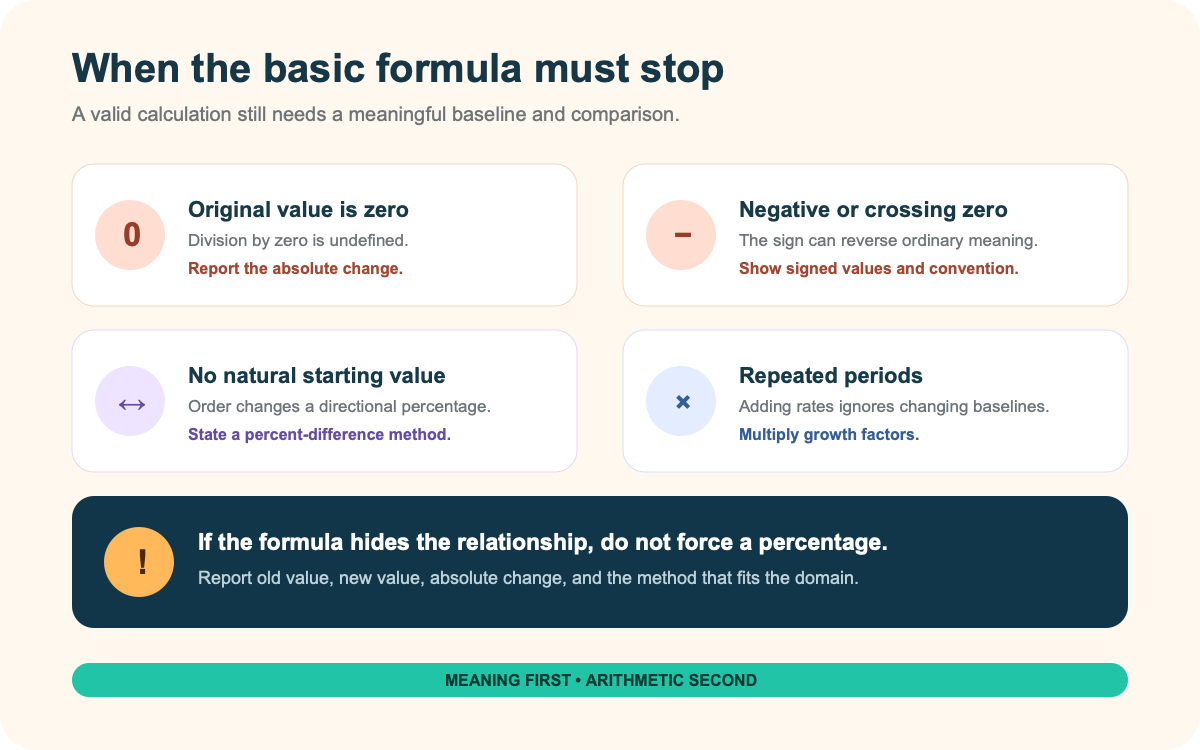
The US Census Bureau’s percent-change methodology marks change from an initial estimate of zero as unavailable and applies special handling to negative initial estimates. That is a useful warning: a calculator can return a number for some negative-base cases, but the ordinary language of “percentage increase” may not describe it faithfully.
If the two values are peer measurements rather than old and new, percent difference is a separate measure. NIST’s percent-difference reference documents more than one denominator convention. Name the method instead of presenting one result as universal.
Repeated increases must be multiplied. Two 10% increases produce 1.10 × 1.10 = 1.21, or a 21% total increase—not 20%. A 20% increase followed by a 20% decrease produces 1.20 × 0.80 = 0.96, a 4% net decrease. The changing baseline is the whole reason.
For dashboards, define the metric, period, inclusion rules, and baseline before selecting software; compare analytics tools after defining the metric and baseline. Use the ordinary percentage-increase formula only when there is a meaningful original value, a comparable new value, and a directional question. Otherwise, state the absolute change and choose the measure that fits the actual relationship.