In-depth guide
How to Screenshot on Mac and MacBook: Shortcuts & Saving
Take a full-screen, window, or region screenshot on Mac or MacBook. Choose a file or Clipboard, find missing captures, and prepare a readable attachment.
Read articleIndependent software guidance for creators and small teams.
 ToolMerit
THE TOOLMERIT TOPIC MAP
Start with an editorial format or follow a connected subject across explainers, tutorials, templates, and workflow guides.
BROWSE BY FORMAT
Choose a tutorial for steps, an explainer for a concept, or a buying guide for a software decision.
Choose software by use case, constraints, cost, evidence, and exit path.
Browse collection →48 articlesComplete a real task in the software you use, then verify the result.
Browse collection →43 articlesUnderstand a software, web, security, or workflow concept before acting.
Browse collection →10 articlesBuild clearer workflows for planning, producing, and publishing content.
Browse collection →7 articlesImprove campaign, measurement, content, and marketing operations.
Browse collection →11 articlesMake meetings, ownership, handoffs, and recurring team work easier.
Browse collection →BROWSE BY SUBJECT
Find a starting guide and the related tasks that build on it.
Protect access and recover everyday work: passkeys, password managers, phishing checks, malware response, and verified backups.
Explore topic →7 articlesUnderstand prompts and AI research, identify the product behind a name, check availability, and assess practical plan limitations.
Explore topic →9 articlesUse spreadsheets, charts, expense records, invoices, and ecommerce workflows to turn business information into usable decisions.
Explore topic →13 articlesPrepare image assets, understand digital color and vector formats, improve damaged images, and choose a practical design workflow.
Explore topic →8 articlesConnect campaign tracking, content planning, software costs, and marketing decisions. Start with a stack audit or UTM guide, then follow the task-specific articles.
Explore topic →9 articlesIdentify file formats, convert documents, edit or combine PDFs, and check that the output preserves the information you need.
Explore topic →7 articlesFind scholarly material, verify source quality, work across research languages, and prepare citations and research papers.
Explore topic →11 articlesCapture a screen, choose the right device controls, locate the output, crop it, and record with the right audio settings.
Explore topic →19 articlesRun meetings, share calendars, manage scheduling tools, maintain documentation, and organize repeatable work for a small team.
Explore topic →7 articlesPlan webinars and podcasts, add captions, edit video, and diagnose media quality before publishing.
Explore topic →18 articlesBuild and maintain websites using clear decisions about domains, URLs, hosting, CMS architecture, performance, and browser behavior.
Explore topic →6 articlesPlan a manuscript, improve paragraph structure, proofread, check spelling, and identify language or symbols while preparing content.
Explore topic →LATEST UPDATES
Take a full-screen, window, or region screenshot on Mac or MacBook. Choose a file or Clipboard, find missing captures, and prepare a readable attachment.
Read articleCapture a Windows PC screen with Snipping Tool or Print Screen. Check auto-save, find the file, handle laptop keys, and review the image before sharing.
Read articleUnderstand what a PDF contains, identify the format, and choose a reader, editor, or converter for text, scans, forms, and signatures.
Read articleShare one event for a single meeting, a calendar for ongoing access, or a separate public calendar for published schedules—and always start with least privilege.
Read articleUse the right screenshot command on a computer, phone, or tablet, choose the useful capture boundary, find the image, and prepare it to share.
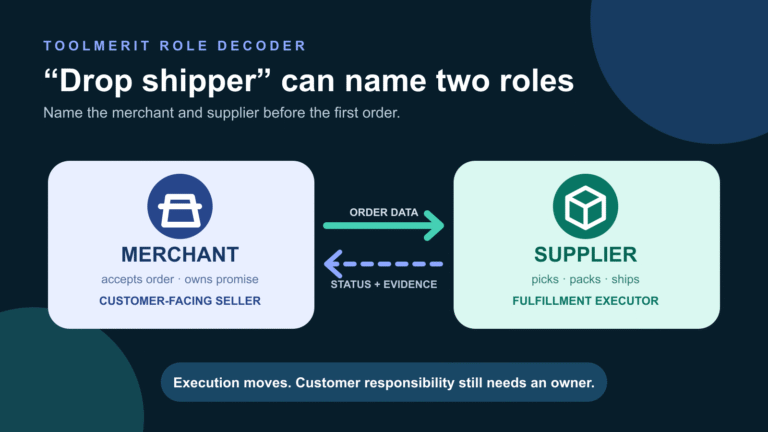
Read articleA role-first explanation of the merchant, supplier, seller-of-record obligation, customer exception path, and evidence a real dropshipping arrangement needs.
Read article