
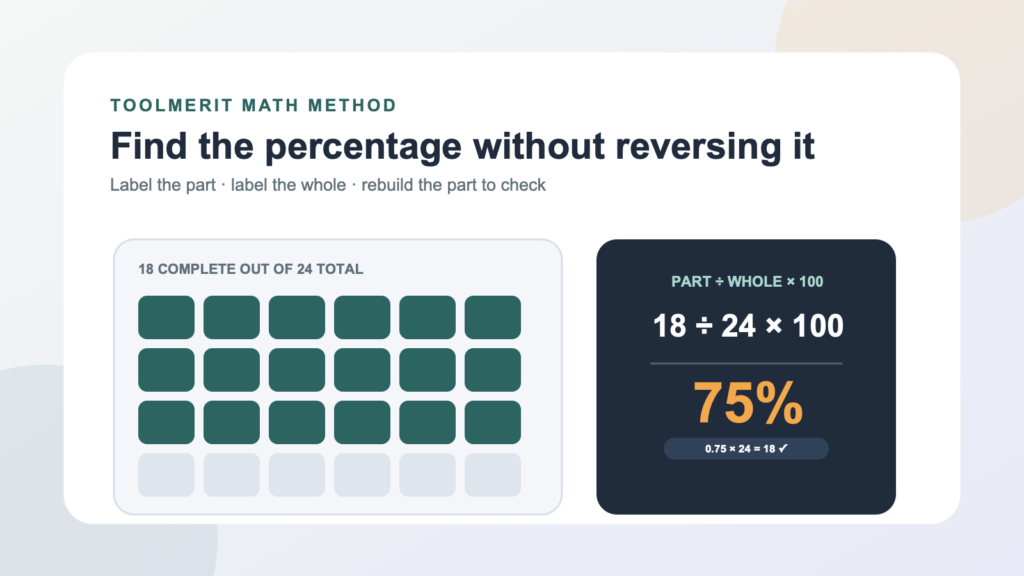
Translate a percentage question into part, whole, and rate; calculate it two ways; and use a reverse check to catch the wrong denominator.
The most common percentage mistake happens before the calculator: the two numbers are reversed. If 18 of 24 tasks are complete, dividing 24 by 18 answers a different question and produces 133.3%, even though fewer than all the tasks are finished.
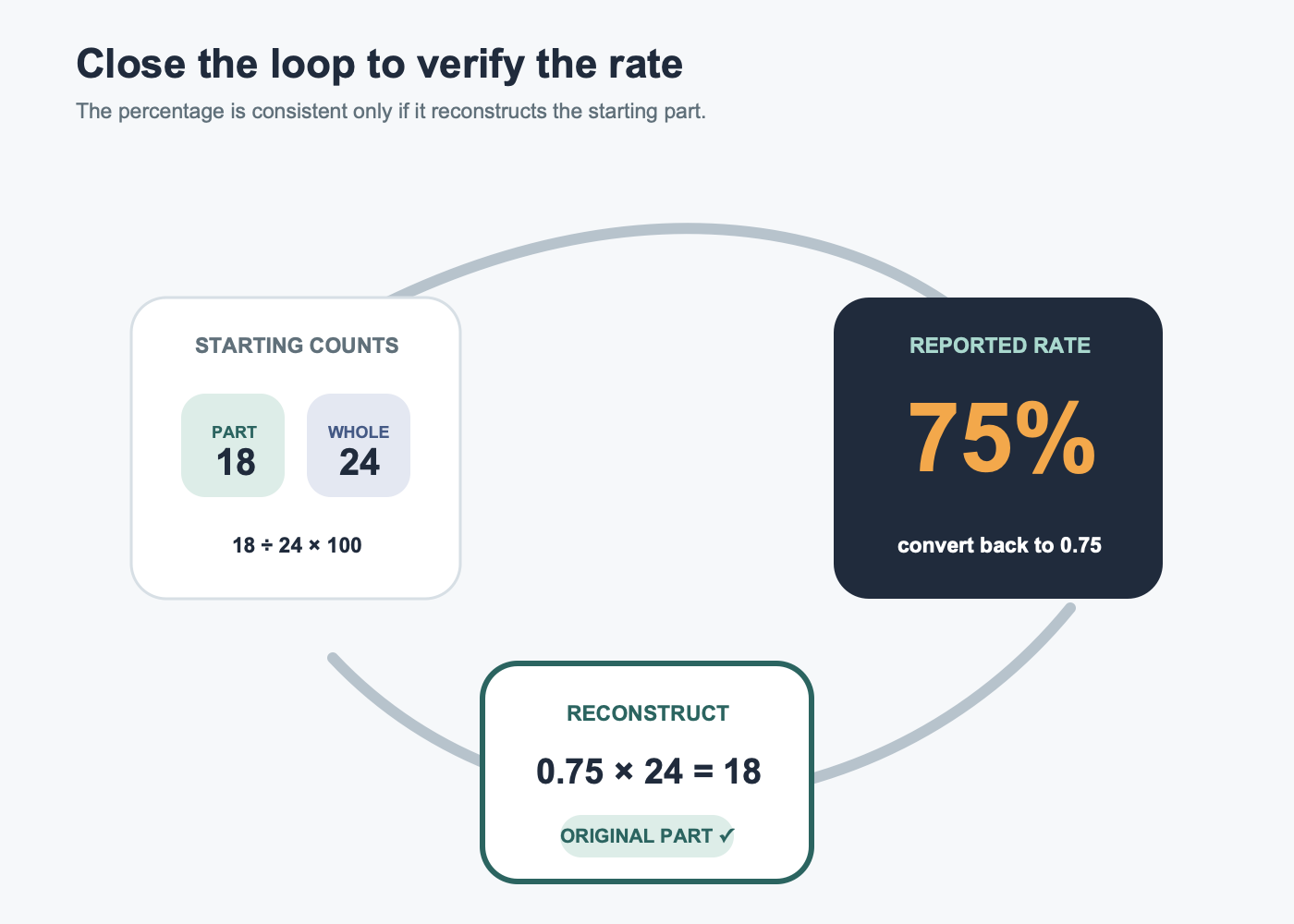
To find what percentage a part is of a whole, divide the part by the whole and multiply by 100. For example, if 18 of 24 tasks are complete, 18 ÷ 24 × 100 = 75%. The denominator must be the whole being measured. Check the result by converting 75% to 0.75 and multiplying 0.75 × 24; the answer should return to the original part, 18.
Decode the sentence before choosing the numbers
Percent means “parts per hundred.” NIST’s SI guidance describes the percent symbol as representing 0.01, while OpenStax’s percent-proportion lesson expresses the relationship as amount over base equals percent over 100. The arithmetic is short; deciding what counts as the base or whole is the real task.
Rewrite the question in this reusable form:
[PART] is what percentage of [WHOLE]?
Then fill three labels before calculating:
- Part: the counted amount, selected group, completed quantity, or category being measured.
- Whole: the full eligible set, total amount, original base, or target used for comparison.
- Rate: the unknown percentage.
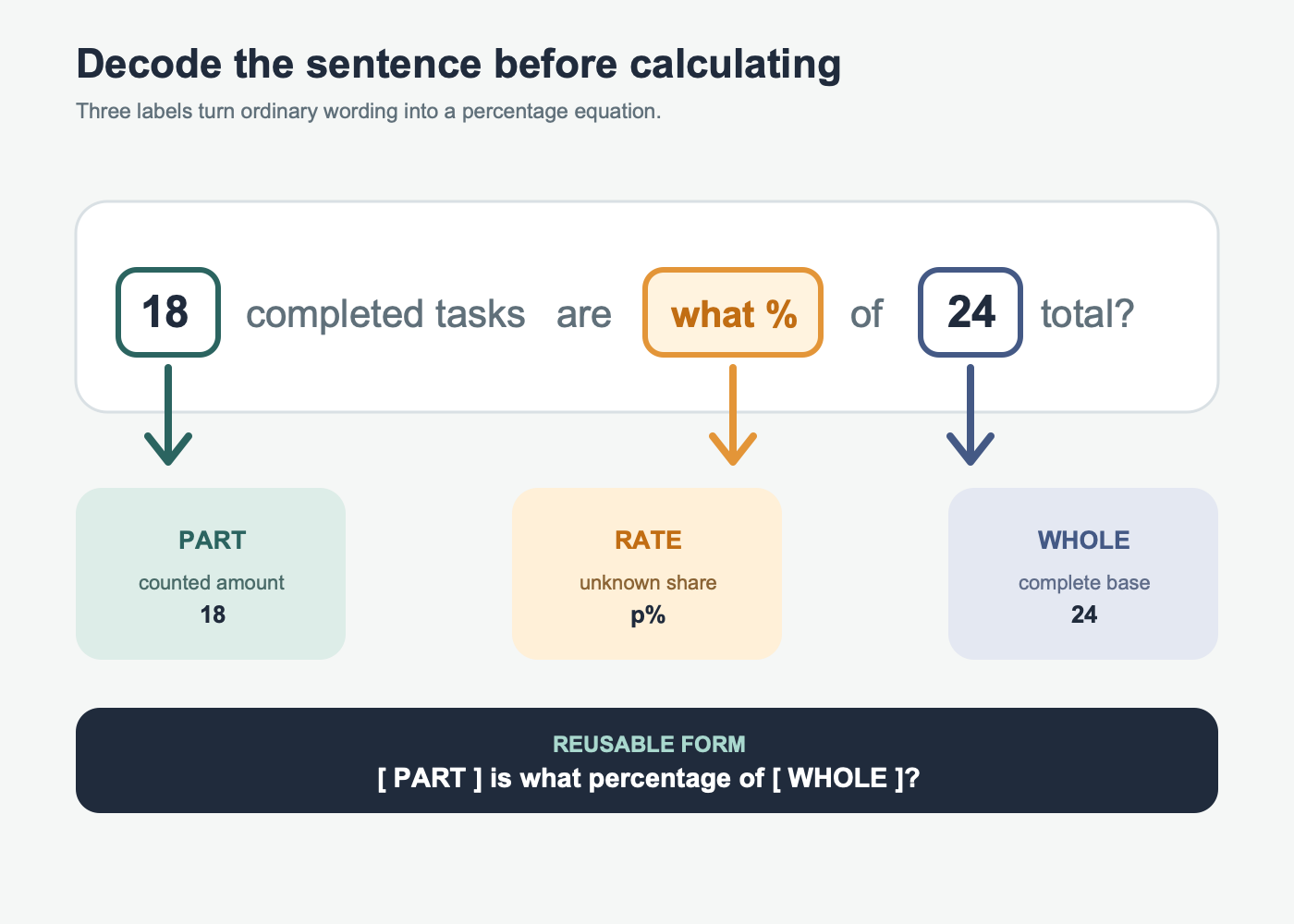
Words such as of, out of, total, all, and eligible often point toward the whole, but they are clues rather than automatic rules. “What percent of the 24 tasks are complete?” makes 24 the whole. “The 24 completed tasks are what percent of the 30 assigned?” makes 30 the whole.
The inputs also need to describe the same scope. When calculating food’s share of monthly spending, use a reconciled expense record so the category and total cover the same period and transfers are not double-counted. For hours completed as a percentage of scheduled hours, start from a traceable timesheet record rather than mixing planned hours from one week with worked hours from another.
Use either division or a proportion to 100
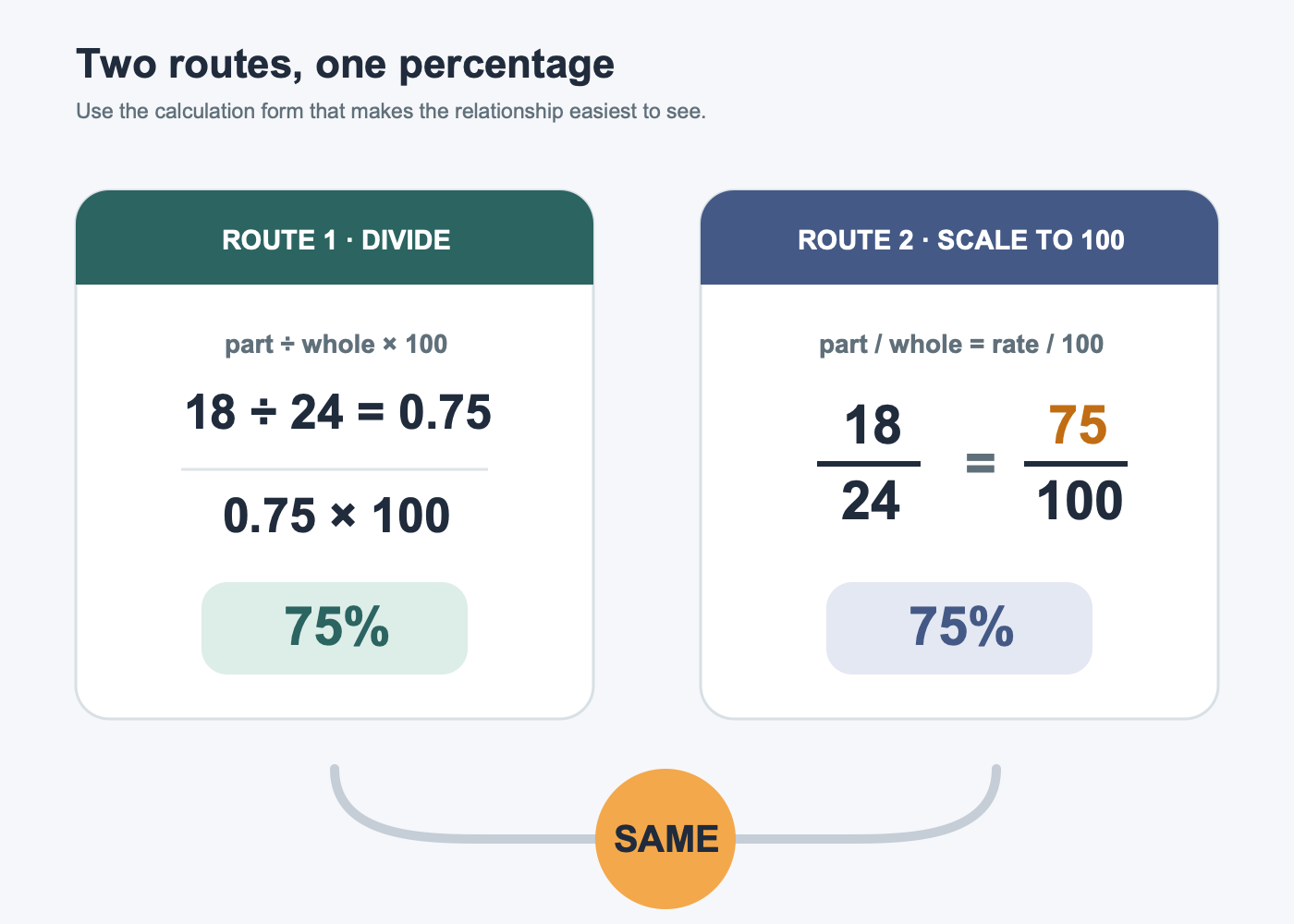
Once part and whole are labeled, two equivalent routes produce the rate.
Route 1: divide, then convert to percent
Use the formula:
percentage = part ÷ whole × 100
For 18 completed tasks out of 24:
- Divide the part by the whole:
18 ÷ 24 = 0.75. - Multiply by 100:
0.75 × 100 = 75. - Add the percent symbol:
75%.
Route 2: scale the ratio to 100
Write the same relationship as an equivalent proportion:
18 / 24 = p / 100
Because 18/24 simplifies to 3/4, and 3/4 equals 75/100, the unknown rate is 75%. For ratios that do not scale neatly in your head, cross-multiply:
24p = 18 × 100
p = 1,800 ÷ 24 = 75
A calculator may display 0.75 before you multiply by 100. A spreadsheet percentage format displays the decimal 0.75 as 75%; do not both multiply the cell by 100 and apply percentage formatting, or it can display 7,500%. Microsoft’s percentage instructions demonstrate the spreadsheet form as =42/50 followed by Percent Style. If you need the process across many rows, build the calculation in Excel. For campaign-scale work, analytics and conversion tools can manage the underlying events, filters, and reporting periods.
Estimate the range before calculating
An estimate catches reversed numbers and misplaced decimal points. Compare the part with familiar fractions of the whole:
| Benchmark | Meaning | Quick test |
|---|---|---|
| 1% | One hundredth | Whole ÷ 100 |
| 10% | One tenth | Whole ÷ 10 |
| 25% | One quarter | Whole ÷ 4 |
| 50% | One half | Whole ÷ 2 |
| 75% | Three quarters | Half plus one quarter |
| 100% | The full whole | Part equals whole |
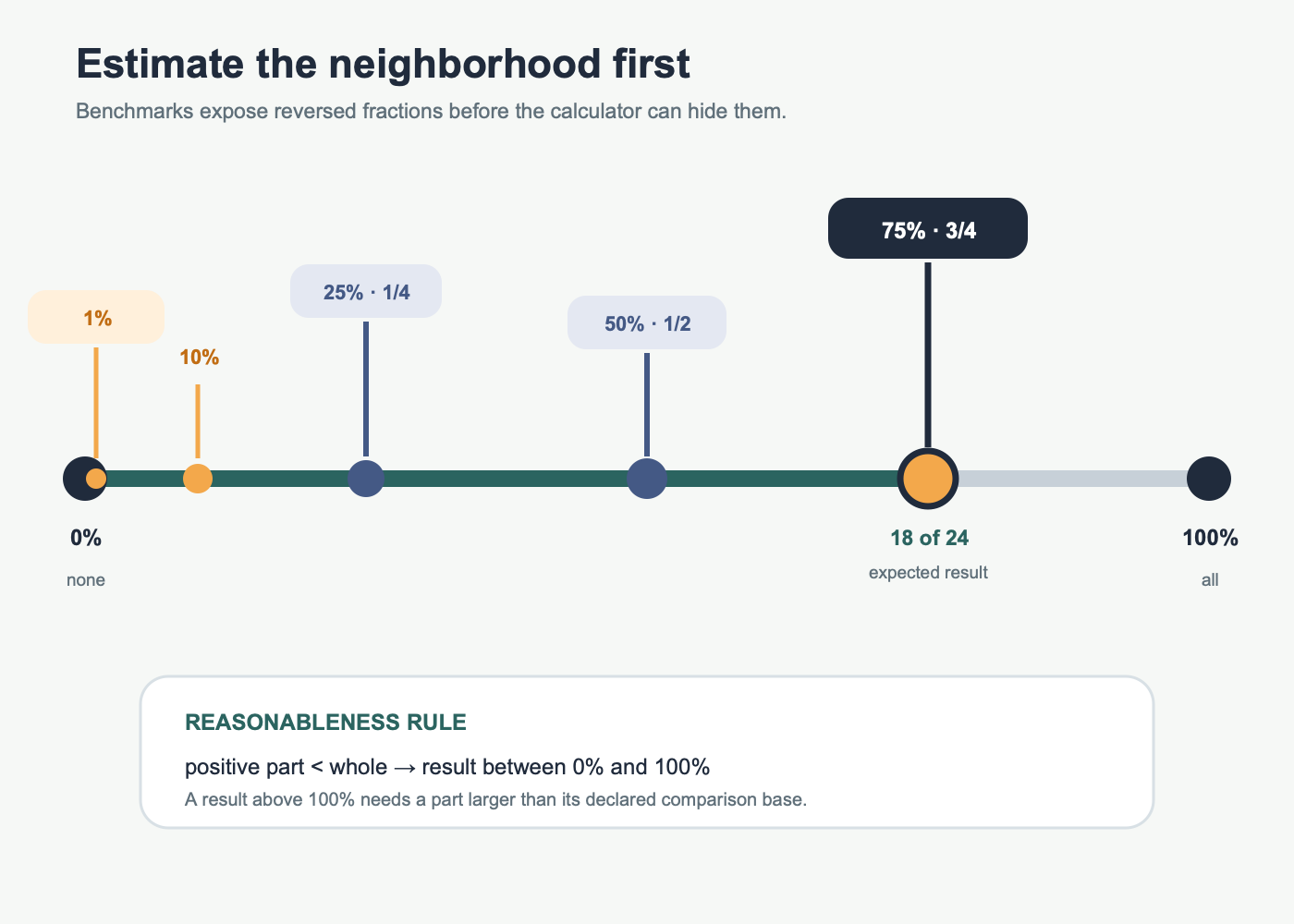
For 18 out of 24, half of 24 is 12 and three quarters is 18, so 75% is expected before any long division. If the part is positive and smaller than the whole, the answer must fall between 0% and 100%. If part equals whole, the answer is 100%. A part can exceed its comparison base—45 units produced against a target of 30 is 150%—but the wording must make that base clear.
A landing-page conversion calculator applies the same counted-part structure when conversions are divided by eligible visits. Not every reported percentage does: ROI’s net-return formula uses net value over full cost, so copying the simple part-over-whole labels without reading the metric definition can produce a plausible but wrong result.
Find the whole in four common sentence patterns
The whole answers “out of what complete base?” It is not always the larger number, the first number, or the number nearest the word percent.
| Question | Part | Whole | Calculation |
|---|---|---|---|
| 27 correct answers out of 36 questions | 27 correct | 36 questions | 27 ÷ 36 × 100 = 75% |
| 42 replies from 120 invited people | 42 replies | 120 invited | 42 ÷ 120 × 100 = 35% |
| $255 of a $1,200 tracked budget went to one category | $255 category | $1,200 tracked total | 255 ÷ 1,200 × 100 = 21.25% |
| 14 defective pieces among 800 inspected | 14 defective | 800 inspected | 14 ÷ 800 × 100 = 1.75% |
Notice that the whole is the eligible base, not necessarily every item in a company, every visitor ever recorded, or the original budget before the reporting period changed. Filters change denominators. When two teams report different percentages, compare their population, time range, exclusions, and data freshness before arguing about arithmetic.
Specialized financial percentages require their own definitions. For example, the denominator in dividend yield is a dated share price, not the amount originally invested; use the deeper guide to audit a dividend-yield percentage. The finance and admin tools hub is the appropriate next stop when the calculation belongs inside budgeting, invoicing, or recurring reporting work.
Round only after the full calculation
Some ratios do not end cleanly. If 17 of 24 tasks are complete:
17 ÷ 24 × 100 = 70.833333…%
The useful display depends on the decision. A progress update may report 70.8%; an informal summary may use 71%; a calculation feeding another formula should usually retain more precision internally. State the rounding when it matters.
Do not round the decimal to 0.7 before converting, because that changes 70.833…% to 70%. Calculate with the full available value, round once at the end, and preserve the unrounded cell if the number will be reused.
Keep numerator and denominator in compatible units. Three hours out of a 40-hour week can be divided directly. Three hours out of 2,400 minutes can also work only after converting one side, because 3 ÷ 2,400 compares hours with minutes and is not a meaningful dimensionless share.
Rebuild the part to verify the percentage
Verification reverses the operation. Convert the reported percentage back to decimal form, multiply by the whole, and compare the result with the original part:
reported percentage ÷ 100 × whole ≈ original part
For the completed-task example:
75 ÷ 100 × 24 = 18
The reconstruction returns exactly to the part, so the percentage is consistent. With a rounded rate, allow for the rounding difference. Using 70.8% for 17 of 24 gives 0.708 × 24 = 16.992, which is close to 17. A result of 170 or 0.17 would reveal a scale or formatting mistake.
Also apply three reasonableness checks:
- If the positive part is smaller than the whole, is the result below 100%?
- Does the result agree with the nearest 25%, 50%, or 75% benchmark?
- Does multiplying the decimal rate by the whole recover the part?
Know which percentage question you are answering
The formula in this guide finds an unknown rate from a known part and whole. Similar wording can ask for a different unknown:
| Question type | Unknown | Formula |
|---|---|---|
| 18 is what percentage of 24? | Rate | 18 ÷ 24 × 100 = 75% |
| What is 75% of 24? | Part | 0.75 × 24 = 18 |
| 18 is 75% of what number? | Whole | 18 ÷ 0.75 = 24 |
| 18 increased to 24; what was the percentage increase? | Change rate | (24 − 18) ÷ 18 × 100 = 33.33…% |
The final worked result fits on one line of a reusable template:
Part 18 ÷ whole 24 × 100 = 75%; estimate: about three quarters; check: 0.75 × 24 = 18.
If that line cannot be filled confidently, return to the sentence and name the whole. Once the denominator is correct, finding the percentage is usually the shortest part of the problem.
Once the sentence has been labeled correctly, continue to the percentage formulas and examples guide for additional calculation patterns and reverse checks.