A practical way to start with ChatGPT Free, test real tasks, separate subscriptions from API billing, and pay only for a proven bottleneck.
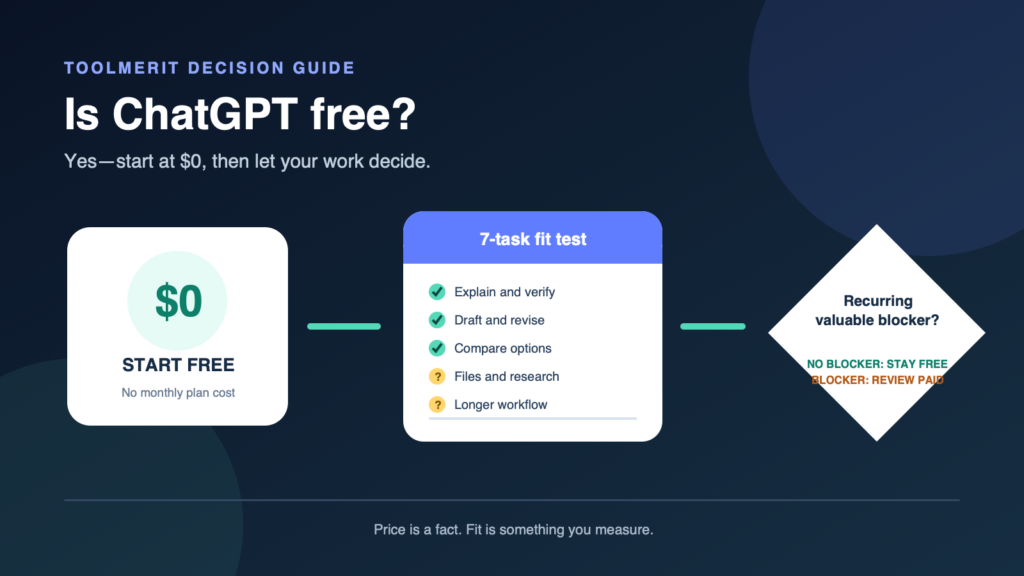
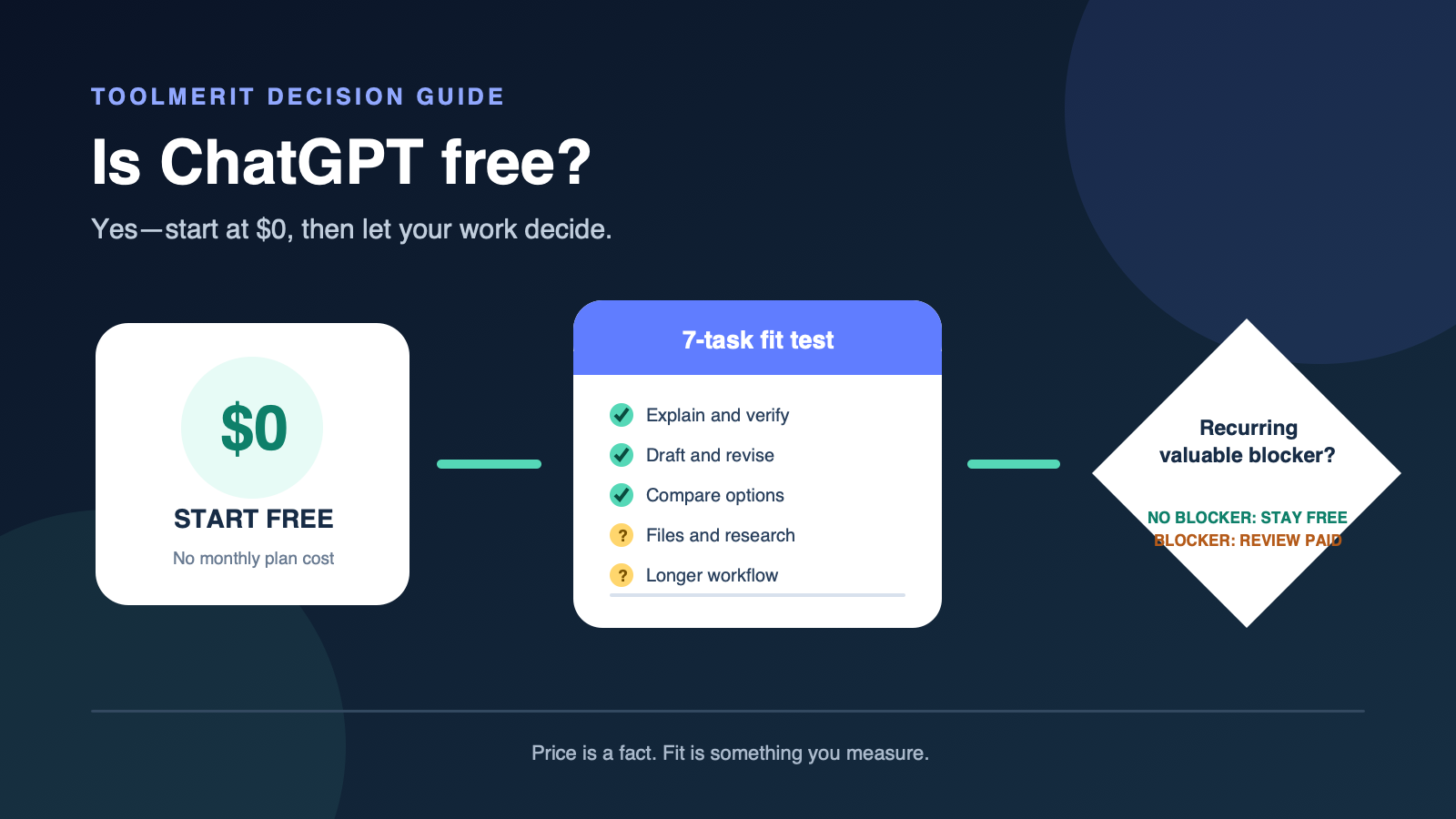
Yes. OpenAI currently offers a ChatGPT Free plan at $0 per month. It is a real no-cost way to use ChatGPT, but free does not mean unlimited usage, every capability, or included API access. Start free, test your actual tasks for a week, and consider paying only when repeated limits, a required paid capability, or team controls block work that matters.
OpenAI’s current ChatGPT plan documentation lists Free at $0 per month. Its public onboarding also offers a free sign-up route. Those facts answer the price question; they do not decide whether the free plan is sufficient for your particular workload.
Treat $0 as access, not ownership
A free account gives you access to an OpenAI service; it does not transfer the service, models, software, or brand to you. If that distinction matters for a purchase, school policy, or business record, see who owns and operates ChatGPT.
“Free” also describes the plan price, not every possible cost around a task. You still spend time reviewing answers, correcting errors, protecting confidential information, and moving a result into the final document or system. A no-cost answer that takes an hour to repair can be more expensive than a reliable manual method.
OpenAI’s current ChatGPT onboarding highlights questions, saved conversations, file and image uploads, and image creation after login. Availability and usable volume can vary by plan and current product rules, so treat the interface and official plan page you see at decision time as authoritative.
Start free with work you can judge
Do not begin your evaluation with an abstract question such as “Is the AI good?” Give it work whose result you can inspect. The official Use ChatGPT guide describes a practical loop: provide a question, idea, notes, file, or task; add context and tools; then review and refine the result.
A fair first test separates prompt quality from plan quality. State the task, relevant context, input, constraints, and desired output. If that structure is unfamiliar, turn the request into a useful prompt before concluding that free access is the problem.
ChatGPT is not automatically the best free route for every job. A calculator, converter, or generator may produce a more predictable one-step result; compare purpose-built free tools for one-step jobs. If the task calls for a different AI medium or workflow, browse the wider AI tools hub rather than forcing every problem into one chat window.
Run a seven-task free-fit test
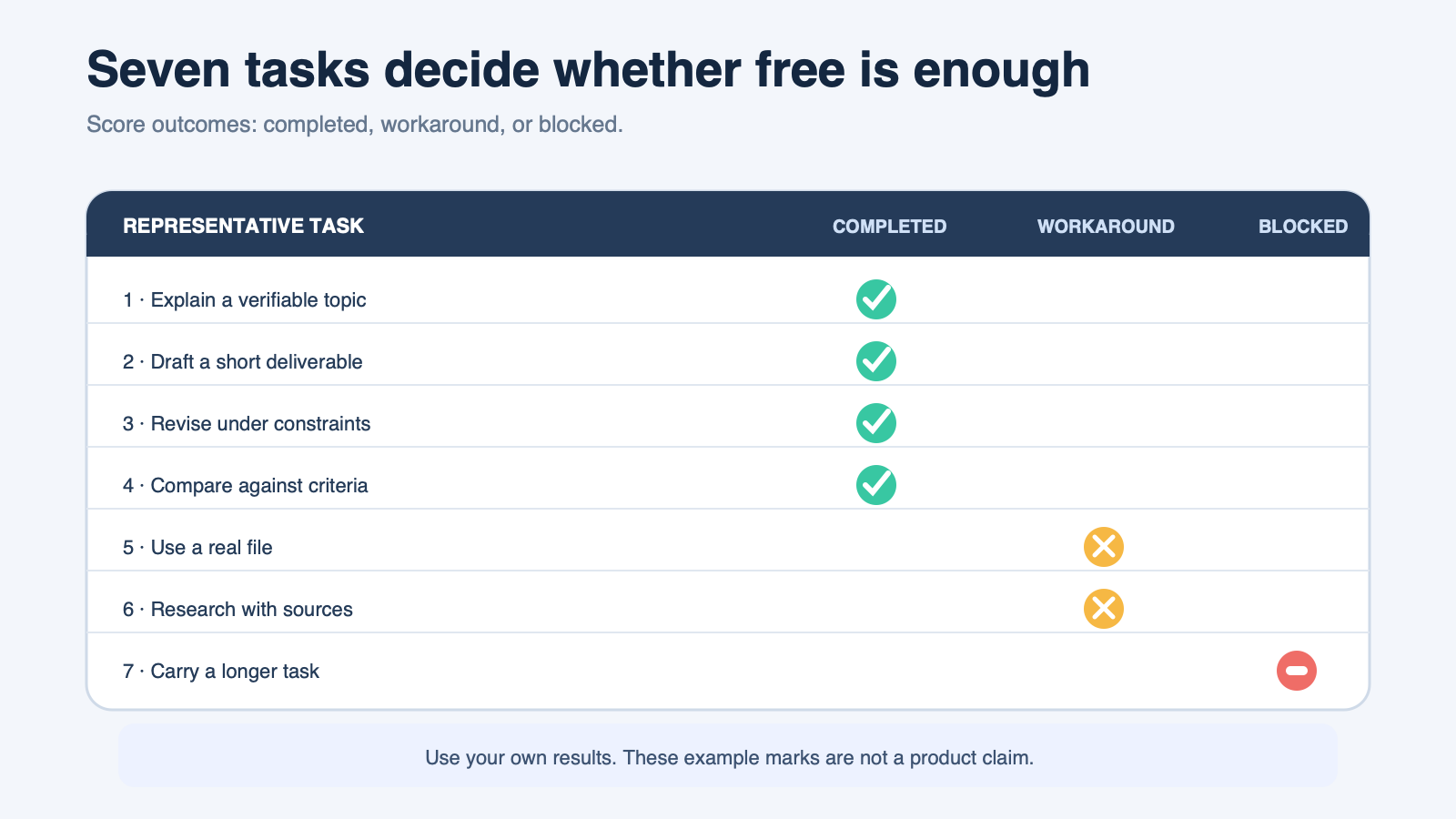
Use one week or seven representative sessions. Choose tasks you genuinely repeat, not showcase prompts chosen to make the product look impressive. Score each as completed, completed with workaround, or blocked.
- Explain: ask about a topic you can verify from a trusted source.
- Draft: create a short email, outline, or first draft with a clear audience.
- Revise: improve your own text under explicit constraints without changing its meaning.
- Compare: evaluate two choices against criteria you supply.
- Use a file: if the current interface offers upload, ask for a bounded extraction or summary and check it against the original.
- Research: if web or research tools are available, require traceable sources and verify the decisive claim. For a larger investigation, use the deep-search verification workflow for research tasks.
- Carry a longer task: ask for a reviewable deliverable with several steps, then note whether context, tools, or limits interrupt completion.
Do not count a confident answer as a completion. The observable result must be accurate enough for the task, complete enough to use, and available when you need it.
Read outcomes instead of feature names
Plan pages change, model names change, and a feature label can hide several constraints. Convert marketing language into observable questions:
| Plan language | Observable question | Evidence to keep |
|---|---|---|
| Access | Could the required task start at the time you needed it? | Date, task, and any limit message |
| Files | Did the actual file type and size complete successfully? | Input type, result, and verification |
| Research | Were decisive claims linked to sources you could inspect? | Source links and corrected claims |
| Images | Could you create or analyze the required visual at usable quality? | Required output and accepted result |
| Higher limits | Did your ordinary workload hit a limit that changed the outcome? | Frequency and consequence |
This protects the decision from two errors: paying for a capability you never use and rejecting the free plan because a feature list looks smaller even though your work still finishes.
Record the cost of a limit
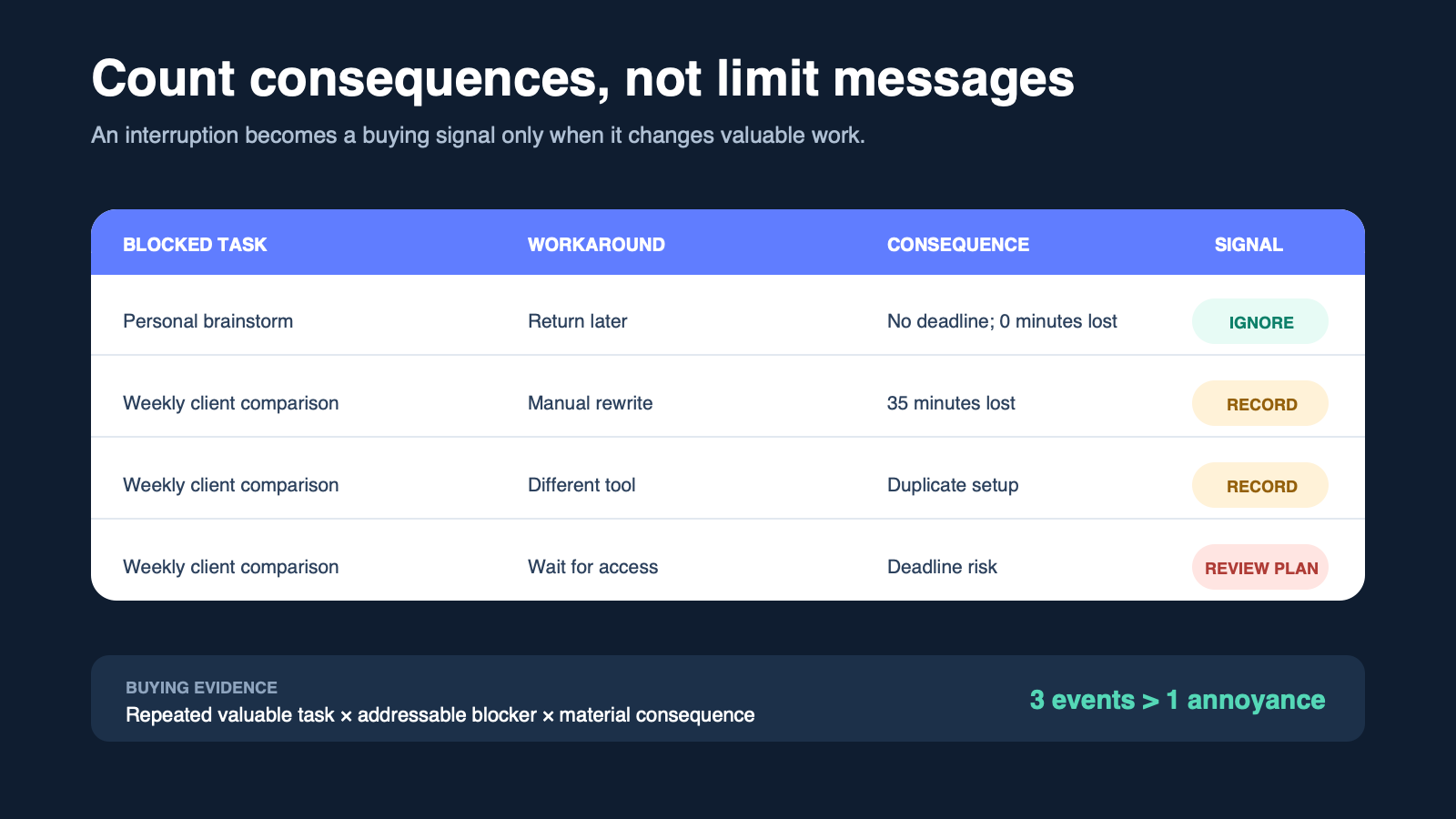
A limit matters only when it changes a result. Record each meaningful interruption in four fields:
Blocked task: finish a client comparison before 3 p.m.
Event: the required mode or capacity was unavailable at 2:20 p.m.
Workaround: wait, use a different tool, or finish manually.
Consequence: minutes lost, deadline risk, duplicated work, or no material effect.
One harmless interruption is weak evidence for a monthly expense. The same costly interruption three times in a week is stronger. When the recovered value can be estimated, calculate ROI from recovered value and full cost instead of treating saved time as automatically profitable.
Separate ChatGPT access from API usage
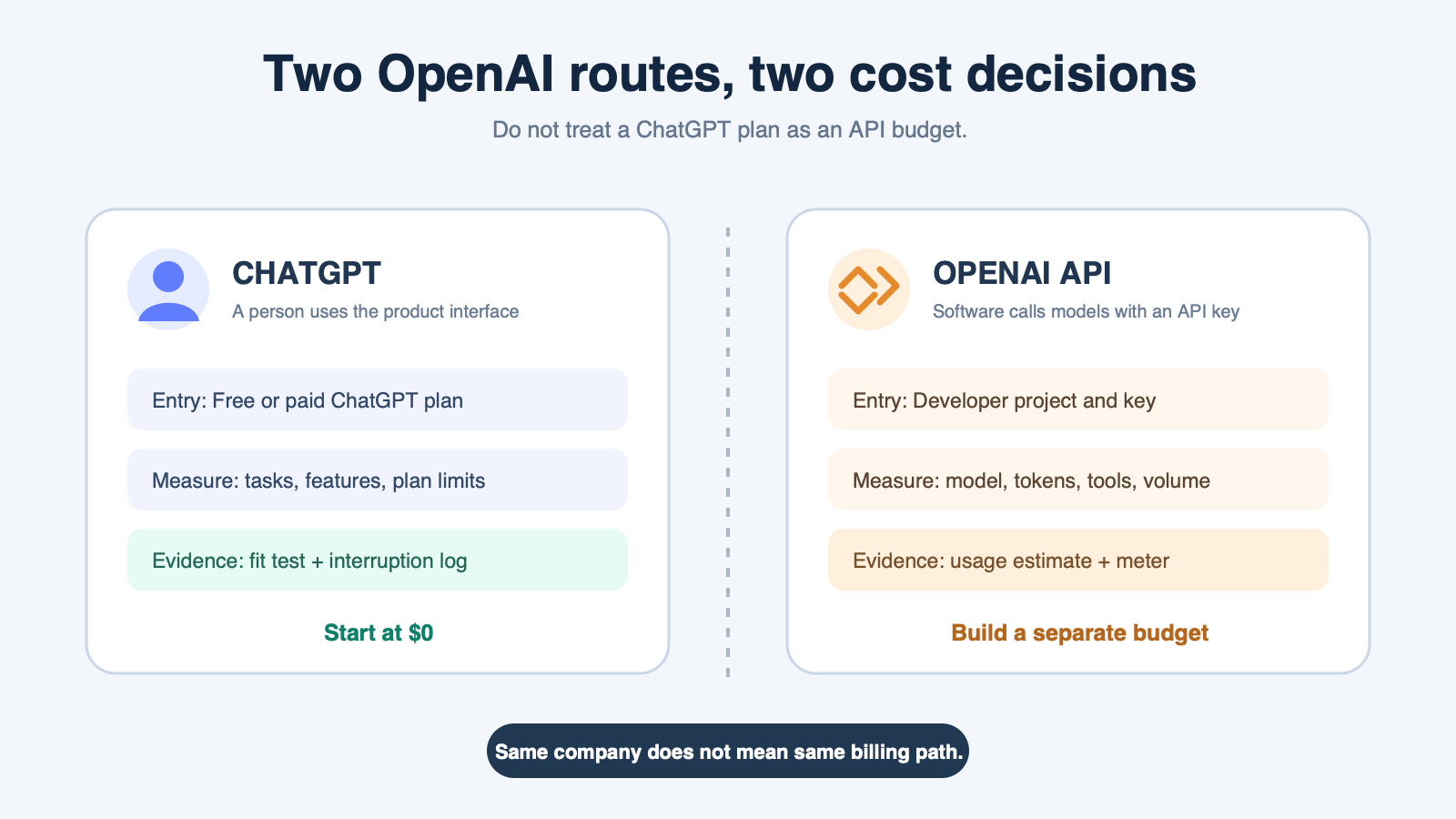
A common cost mistake is assuming that a ChatGPT plan is an API allowance. ChatGPT is the product a person uses through its interface. The API is the developer service that software calls with an API key. OpenAI’s current Chat Latest API model page publishes token-based prices and shows its API Free tier as unsupported.
ToolMerit’s practical rule is to treat these as separate budgets unless the current official purchase page explicitly says otherwise:
| Route | Who operates it | How cost is evaluated | Decision evidence |
|---|---|---|---|
| ChatGPT Free or paid plan | A person in the ChatGPT interface | Plan price, access, features, and observed limits | Seven-task test and interruption log |
| OpenAI API | Your application or automation using an API key | Published model and tool usage rates | Expected request volume, model choice, and measured token usage |
If your goal is to add AI to a website, product, spreadsheet process, or backend workflow, do not use a consumer plan comparison as the cost estimate. Build an API usage estimate from the developer pricing that applies to the selected model.
Match the plan decision to the job
| Situation | Best starting decision | Upgrade signal |
|---|---|---|
| Learning, brainstorming, or occasional personal use | Start and remain free while normal tasks finish | A specific required capability is consistently unavailable |
| Freelance writing or analysis | Test real deadlines on free access | Repeated verified interruptions cost more than the plan |
| Research-heavy work | Test source quality and verification effort, not just answer speed | The required research workflow repeatedly needs unavailable capacity |
| Daily professional work | Run the seven-task test during a representative week | Important tasks are regularly delayed or rerouted |
| Small team | Define sharing, administration, data, and ownership requirements first | The team needs controls that an individual setup does not provide |
| Software integration | Estimate the API separately | Production usage justifies a metered developer budget |
For a team, higher message volume may be less important than shared context, access control, and a durable handoff. Evaluate collaboration tools for the shared workflow before using an individual subscription as a substitute for team design.
Pay only for a repeated bottleneck
An upgrade is justified when all four statements are true:
- The blocked task is valuable and occurs repeatedly.
- The current paid option explicitly removes or reduces that bottleneck.
- The recovered time, reliability, or required control is worth more than the full recurring cost.
- You will review the decision after a defined period instead of letting the subscription renew by inertia.
Before buying, put the subscription into the stack cost calculator with the rest of your recurring software. A small team should also audit the stack for overlap before adding another plan, especially when an existing writing, research, or productivity product already includes AI.
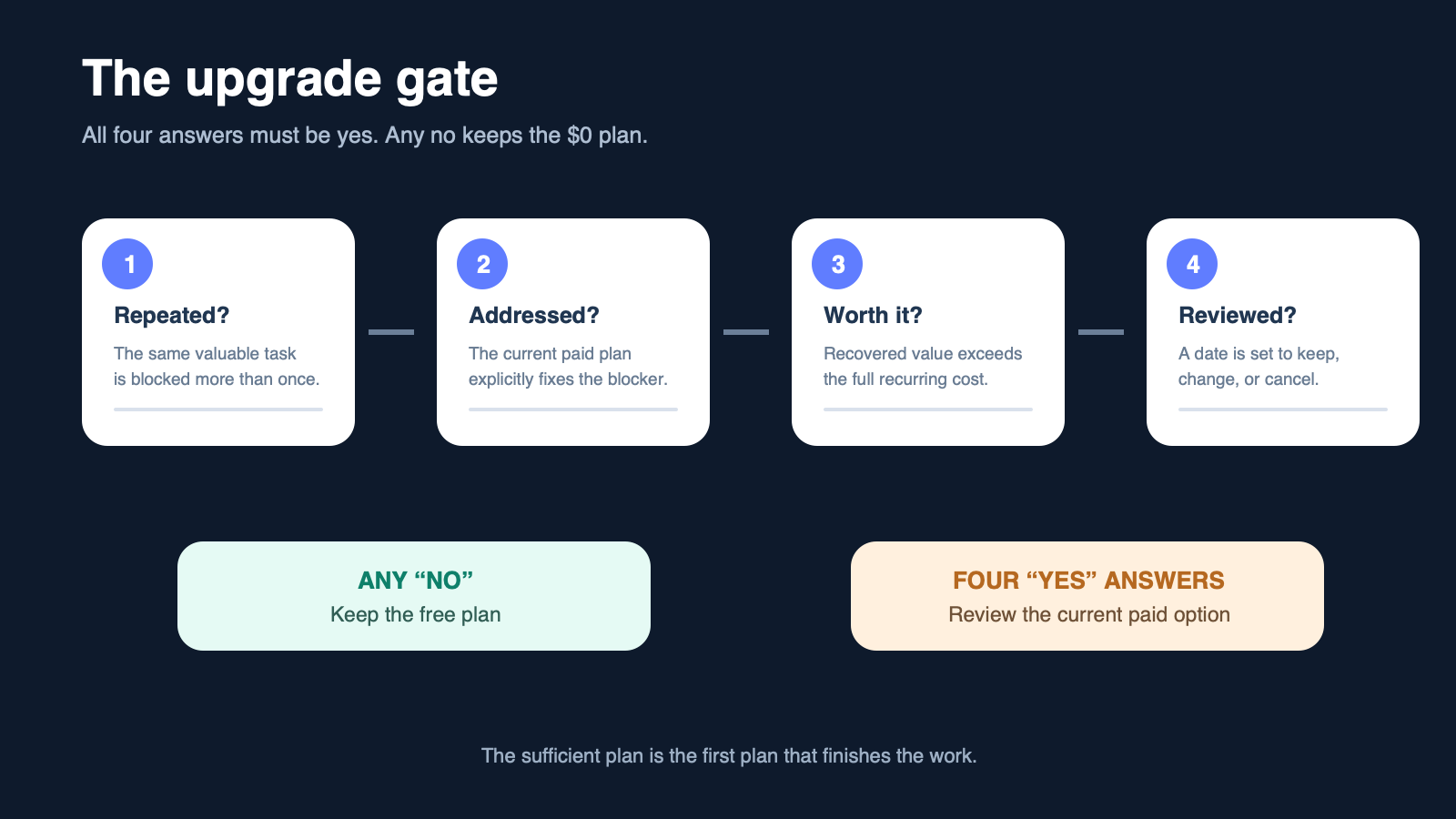
The usage limit is also the stopping rule: if the $0 plan completes your representative tasks with acceptable verification and no material recurring blocker, it is already the sufficient plan. More access is not automatically more value.