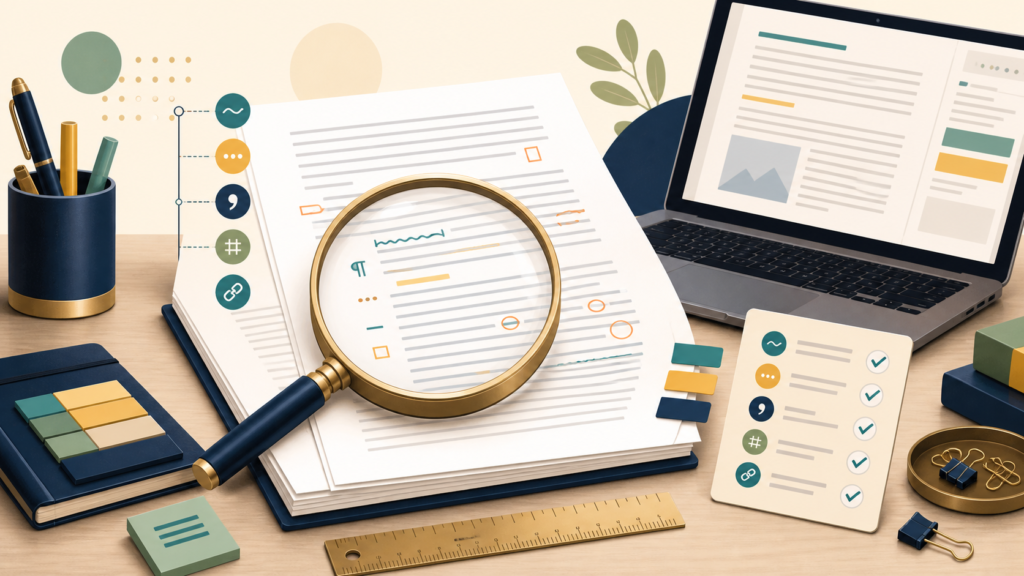
Effective proofreading isolates error classes in a stable near-final draft, changes the reading mode, and finishes by reopening the actual delivery file.
To proofread effectively, finish revising first, take a short break, and inspect the document in several single-purpose passes. Check layout, sentences, words and punctuation, then names, dates, numbers, links, and citations. Read aloud, change the viewing format, search for your recurring errors, and reopen the final exported file before submission.
A grammar checker is one pass, not the process. It can flag patterns, but it cannot reliably decide whether a name, fact, homophone, citation, or intentional style choice is correct.
Stop revising before you start proofreading
Revision, editing, and proofreading solve different problems. Revision changes purpose, argument, order, evidence, and paragraph development. Editing improves sentences, clarity, concision, tone, and consistency. Proofreading is the final search for remaining errors and production defects.
| Stage | Main question | Typical change |
|---|---|---|
| Revision | Does the document say the right things in the right order? | Move, add, delete, or rewrite sections |
| Editing | Are the sentences clear, concise, accurate, and consistent? | Reshape sentences and standardize style |
| Proofreading | What errors remain in the nearly final content and layout? | Correct local errors without reopening the whole draft |
The University of Wisconsin–Madison Writing Center advises writers to resolve focus, organization, development, sections, and paragraphs before proofreading sentence- and word-level errors. Purdue’s editing guide makes a similar distinction between large-scale revision and smaller-scale editing concerns.
Prepare a stable proof copy
- Finish substantive revision and resolve open comments.
- Duplicate the file and give the proof copy a clear version name.
- Collect the assignment, style guide, source list, names, product terms, and formatting requirements.
- Let the draft rest. Even 15 minutes can create useful distance; longer is better for high-stakes work.
- Export or print a representative version so you can inspect the actual reading format.
Create a small error ledger from problems you make repeatedly: missing articles, comma splices, inconsistent capitalization, doubled words, US/UK spelling drift, weak links, transposed numbers, or citation mismatches. Generic checklists are useful, but your own history is usually a better search list.
Proofread in single-purpose passes
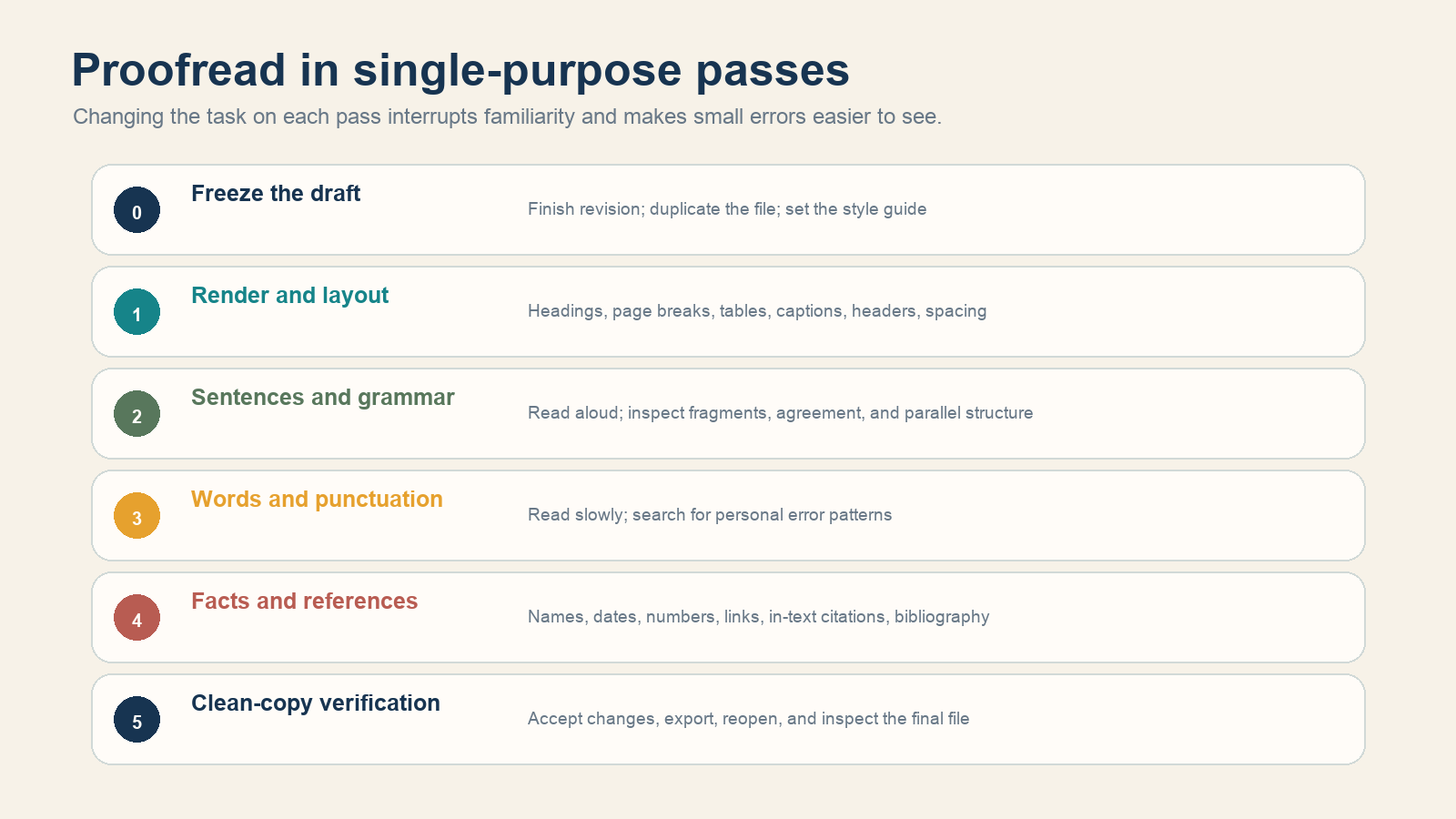
Pass 1: render and layout
Scan the document without trying to read every sentence. Check heading levels, page numbers, headers and footers, line breaks, widows and orphans, table width, image quality, captions, list indentation, blank pages, and the table of contents. In a webpage, test narrow screens, link wrapping, code blocks, tables, and alt text.
Pass 2: sentences and grammar
Read aloud at a deliberately slow pace. Listen for missing words, repeated words, breathless run-ons, abrupt fragments, broken parallel structure, and sentences whose subject disappears. If speaking is impractical, use text-to-speech while following the text visually—but confirm the written form yourself.
Then read sentences from the end of the document toward the beginning. Backward sentence order removes much of the narrative pull while keeping each sentence intact. This is useful for boundaries and agreement; it is not a good method for checking paragraph flow.
Pass 3: words, spelling, and punctuation
Use the spelling and grammar checker, but review one suggestion at a time. Search for the items in your error ledger. Useful searches include double spaces, repeated punctuation, straight versus curly quotes, empty parentheses, common filler phrases, inconsistent product names, and words you habitually confuse.
The UW Writing Center’s proofreading guidance recommends targeted computer searches and separate passes for different errors. It also notes that spellcheckers miss real-word errors such as homophones and substitutions like he for the.
Pass 4: facts, numbers, links, and references
Do not merely reread facts from memory. Compare the final statement with its source:
- Spell every person, organization, product, and place consistently.
- Recalculate totals, percentages, units, dates, and table values.
- Open every link and confirm that the linked page supports the nearby claim.
- Match every in-text citation to a reference entry and every reference entry to a cited passage.
- Check quotations against the original, including omitted words and punctuation.
- Confirm that “latest,” prices, laws, schedules, and software instructions are still current.
Pass 5: clean-copy verification
Accept or reject tracked changes, remove resolved comments, update generated fields, and export the delivery format. Reopen that exported PDF, document, webpage, or slide deck—not the editable source—and inspect it from first page to last. File conversion can create clipping, missing fonts, bad page breaks, blank pages, and broken links after the words were already correct.
Match each method to an error class
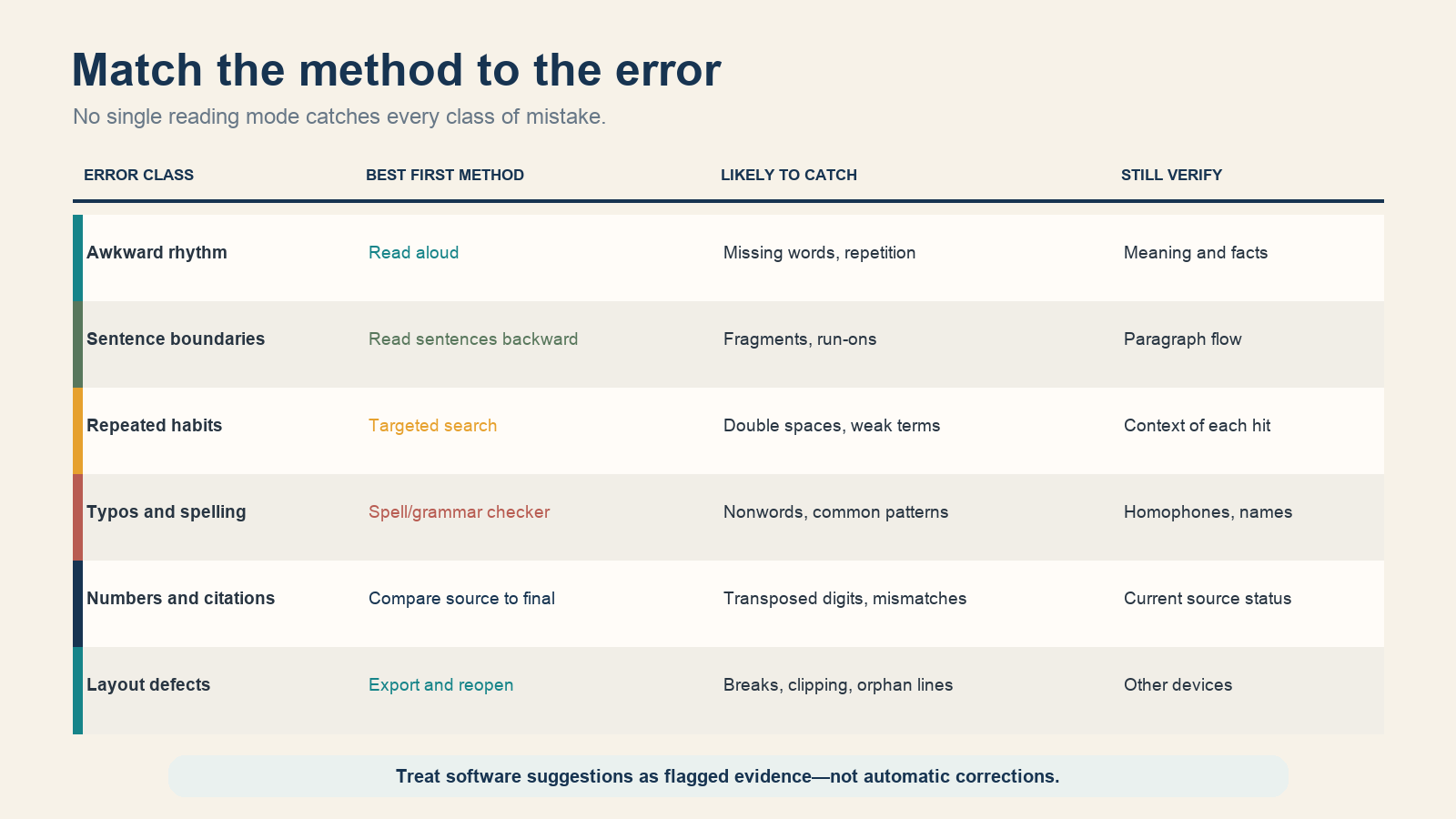
Purdue’s 2024 proofreading tips recommend print, reading aloud, reading backward by sentence, targeted Find searches, and checking citations beside the bibliography. These techniques work because they change the task. Repeatedly reading from the title to the end in the same window does not.
Use grammar and AI tools as reviewers, not decision makers
Automated tools are useful for surfacing candidates: misspellings, repeated words, inconsistent punctuation, long sentences, and possible agreement problems. Keep the original text visible and ask what rule or risk each suggestion addresses before accepting it.
Reject changes that alter meaning, quoted material, technical terms, names, dialect, house style, or legal wording. Never upload confidential, regulated, client, student, health, or unpublished material to an external service unless its data handling is approved. For factual or citation checks, follow the tool’s claim back to the original source.
Build a timed proofread when the deadline is close
| Time | Priority sequence |
|---|---|
| 10 minutes | Title and first/last paragraph → names, dates, numbers, links → spellcheck → export and scan |
| 30 minutes | Add read-aloud sampling, headings, lists, captions, citation matching, and personal error searches |
| 60+ minutes | Complete every single-purpose pass, verify all sources, and ask another reader to inspect the rendered copy |
For a second reader, request a defined task: “Check names and numbers against this source list” is more useful than “Tell me if it looks good.” UW’s feedback guide likewise recommends deciding what kind of feedback is needed and giving the reader enough time to respond.
Final proof checklist
- The purpose, audience, and required sections are settled.
- Headings, lists, tables, figures, captions, and page breaks render correctly.
- Sentences have been read in a different mode, not only silently onscreen.
- Personal error patterns were searched explicitly.
- Names, dates, numbers, units, links, quotations, and citations were checked against sources.
- Tracked changes, comments, placeholders, and hidden instructions are gone.
- The final exported file was reopened and inspected.
Effective proofreading is not one perfect read. It is a controlled series of narrow checks performed on a stable draft, followed by verification of the exact file the reader will receive.