If you searched “scholar google,” the service you want is Google Scholar. Use it to discover scholarly literature, then verify the work, version, access route, and relevance before citing it.
If you searched “scholar google,” open the official Google Scholar site at scholar.google.com. It searches scholarly literature across disciplines and sources. Start with two or three distinctive concepts, then use quotation marks for an exact phrase, author: for an author, year controls for recency, and Cited by or All versions to expand the trail. Treat every result as a discovery lead that still needs source and version verification.
Google Scholar is broader than a single journal database. That breadth is useful for discovery, but a result’s presence, rank, or citation count does not prove peer review, methodological quality, current status, or relevance to your exact question.

Open the official Google Scholar site
The official hostname is scholar.google.com. Check the address before signing in or changing profile information. You can run ordinary searches without creating a public author profile. Signing in supports features such as My Library, profile management, and centralized alert management, but an alert can also be sent to a non-Google email after verification.
Google’s service overview says Scholar searches across articles, theses, books, abstracts, court opinions, academic publishers, professional societies, repositories, universities, and other sites. The results may therefore mix journal versions, conference papers, preprints, repository copies, books, theses, and other scholarly materials.
Start with concepts, not a full research question
Translate the question into two or three concepts that should appear in a relevant paper. For “How do cities reduce health risks during extreme heat?” a first query might be:
extreme heat urban health adaptationRead the first page for the vocabulary used by the field. You may discover terms such as heat-health action plan, urban heat island, heat vulnerability, or cooling center. Replace a weak word with the field’s term instead of repeatedly adding more words.
Avoid pasting a long natural-language question at the start. Common words can hide the concepts that distinguish the research. Also avoid selecting a paper only because its title repeats your language; open the abstract and identify the method, population, geography, comparison, and date.
Build the query in layers
Each refinement should solve a specific problem in the current results. Google’s Search Help documents quoted-title searching, the author: operator, Advanced search fields, year controls, relevance versus date sorting, alerts, and citation links.
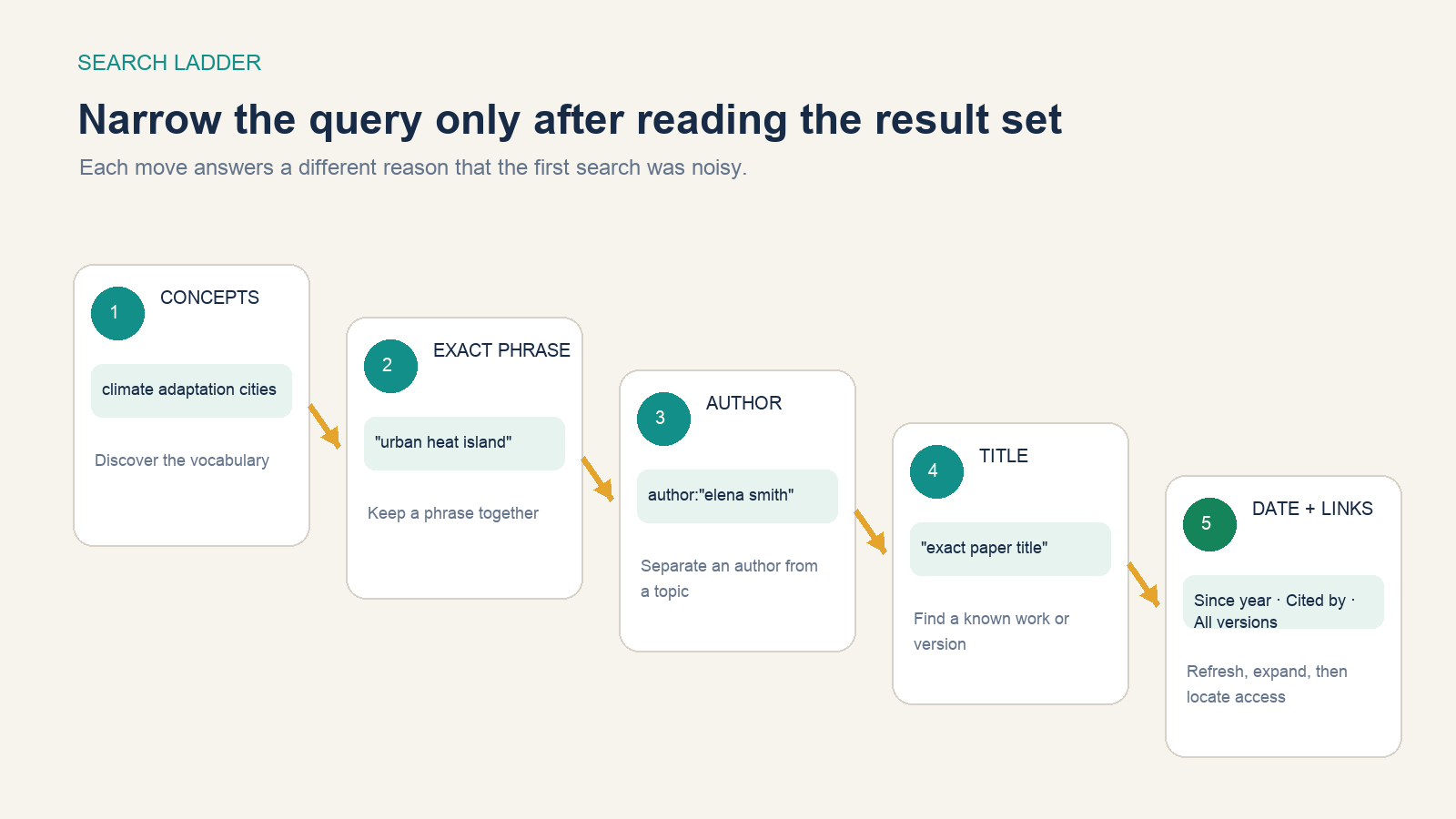
| Search need | Query or control | Example |
|---|---|---|
| Keep a term together | Quotation marks | "urban heat island" mortality |
| Find one author | author: |
author:"Jane Smith" heat |
| Find a known paper | Quote the full title | "Exact Paper Title" |
| Limit a field or years | Advanced search | Title words, publication, author, date range |
| Find recent work | Since year or Sort by date | Recent papers by relevance, or newest additions first |
Searching by author name alone can mix people with similar names. Add a topic, co-author, affiliation clue, or exact title. When available, compare the person’s public profile and persistent identifier; ORCID explains that an ORCID iD distinguishes researchers and links professional activities.
Read a result before clicking it
A result contains several different paths. The blue title usually points to a primary page or selected version. The author, source, and year line identifies the apparent record. A right-side [PDF] or [HTML] link may lead directly to a readable version. Under the result:
- Cited by finds later works that Scholar has identified as citing this item.
- Related articles finds records that Scholar considers similar.
- All versions groups other indexed locations or versions of the work.
- Cite provides formatted citation options and export formats.
- Save adds the result to My Library when you are signed in.
Do not assume the first visible version is the version of record. A preprint, accepted manuscript, conference version, repository copy, and final journal article may differ. Record which one you actually read.
Expand the literature in both directions
Once you find a strong seed paper, follow its reference list backward to earlier foundations and use Cited by forward to later work. This two-direction search often works better than inventing dozens of new keyword combinations.
Use Search within citing articles to add the aspect you care about. A widely cited foundation may have thousands of descendants; filtering that set with a population, method, outcome, or recent year makes it usable. Use Related articles when you need works with similar language or subject but not necessarily a direct citation relationship.
Citation counts reflect attention accumulated under unequal time and field conditions. Older papers have had longer to be cited, citation customs vary across disciplines, and a citation can disagree with the work. Scholar states that ranking may consider full text, venue, author, and how often and how recently a work is cited. That is a retrieval model, not a quality grade.
Find a lawful full-text route
Start with the right-side [PDF] or [HTML] link, then check All versions. A repository or author manuscript may be openly readable even when the publisher version requires a subscription. If you belong to a university or library, configure Library links in Scholar settings or use the institution’s approved proxy or VPN.
Google’s help page says Scholar may show publisher subscriptions, open-access copies, free-to-read versions, preprints, repositories, and configured library links. Its library documentation explains that the library authenticates its patrons; Scholar does not provide that authentication itself.
Do not upload a paywalled paper to an unapproved service or bypass access controls. If no lawful copy appears, use interlibrary loan, contact the author, search the DOI in your library, or request the item through a document-delivery service.
Verify the paper outside the result page
Scholar’s index is built from many sources and groups versions automatically. Before citing or relying on a paper, verify the bibliographic identity and current status on the publisher, journal, repository, DOI, or specialist database.
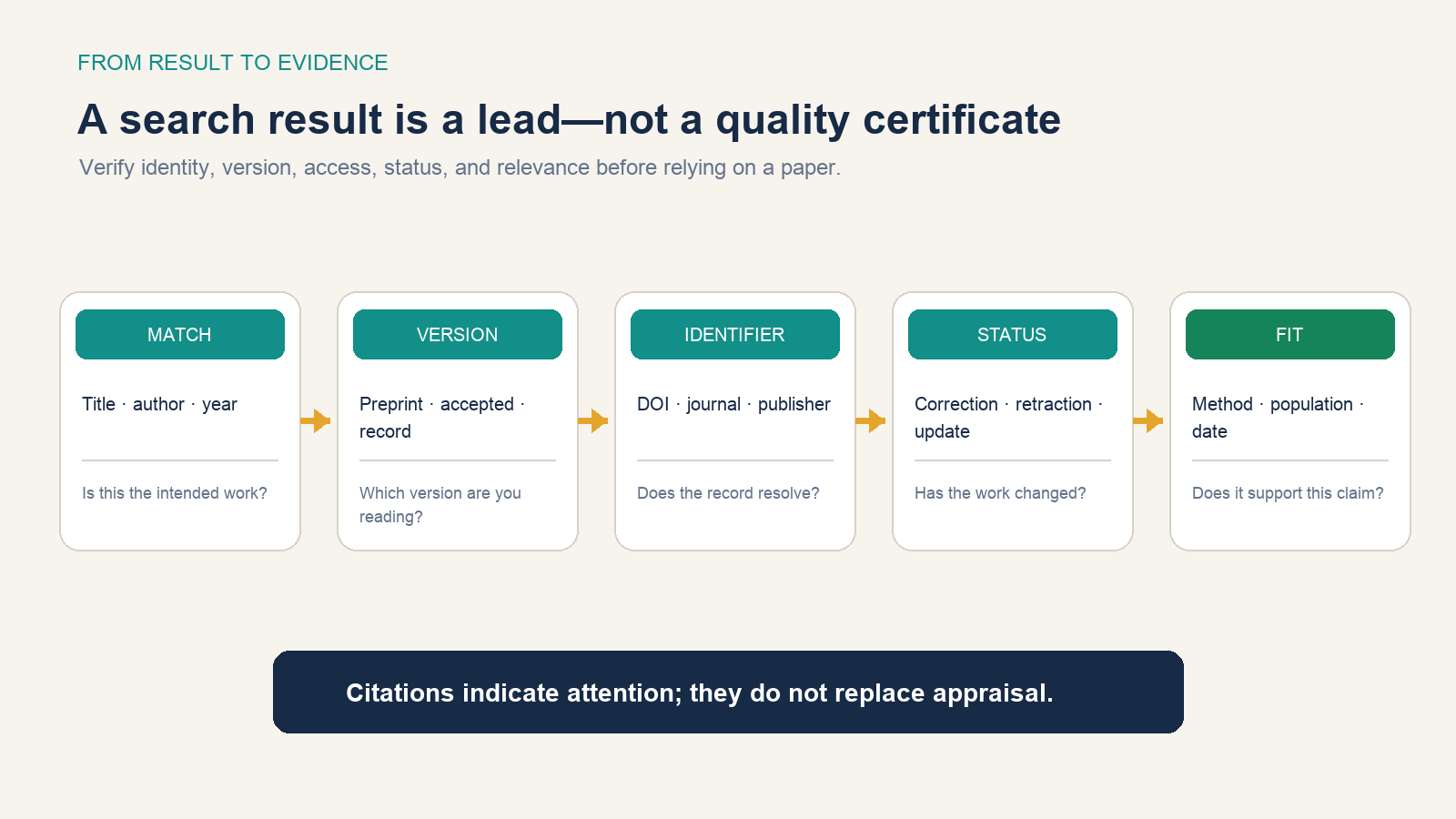
- Match: compare title, authors, year, journal or venue, volume, issue, and pages.
- Version: identify preprint, accepted manuscript, conference paper, final record, correction, or supplement.
- Identifier: resolve the DOI and compare its deposited metadata. Crossref documents its open metadata retrieval and metadata sources.
- Status: check the publisher record and relevant databases for correction, expression of concern, retraction, replacement, or update.
- Fit: read enough of the full paper to determine whether its method, population, comparison, outcome, and uncertainty actually support your sentence.
Never cite an abstract, snippet, citation count, or AI summary as though you evaluated the study. Exported citations are starting records; proofread capitalization, names, date, pages, DOI, and citation style against the source.
Save a search and watch what changes
To monitor a topic, run the final query and select the envelope icon to create an alert. To watch citations to a particular work, open its Cited by results and create the alert there. For an author with a profile, use Follow and choose the relevant new-article or new-citation option.
Alerts report what Scholar newly adds that matches the query; they are not a systematic surveillance guarantee. Keep the saved query text and date, periodically inspect what it misses, and use a specialist database when complete coverage matters.
Know when Scholar is not enough
| Need | Better or additional route | Why |
|---|---|---|
| Structured biomedical filters | PubMed or another specialist index | Field tags, query translation, article types, and domain indexing |
| DOI and publisher metadata | Crossref plus the publisher record | Independent identifier resolution and deposited metadata |
| Licensed subject databases | Your library discovery tools | Controlled vocabularies, curated scope, and subscribed full text |
| Systematic or legal review | Multiple databases and documented search strategies | One broad engine cannot establish comprehensive retrieval |
| Legal decision-making | Official court sources and a qualified lawyer | Scholar itself disclaims completeness and legal reliance for opinions |
The National Library of Medicine’s PubMed help documents fielded searching, query translation, date and publication-type filters, and the ways filters can exclude unindexed material. Use that precision when the research question requires it. Use Scholar alongside the specialist source to find citations, versions, and adjacent disciplines—not as a silent replacement for the source’s controlled search.